
Upload and Edit Your Logo and Product Descriptions
Upload your logo and product descriptions in OMR Manager's Details tab to optimize your profile with brand visuals and compelling tool overviews
Optimize your OMR Reviews Profile: Upload your logo and add product descriptions
What you'll learn in this article 👇
- Upload logo
- Edit product descriptions
Logo
Your logo or GIF is a visual (animated) element that appears at the top of your profile. It represents your company's brand and branding, and it's crucial for brand recognition.

-Feb-07-2025-09-53-13-0977-AM)
You can upload and update your logo or GIF in the OMR Manager under the "Details" tab.
The following specifications apply:
-
Logo: 64 x 64 pixels | Formats: jpeg, png
-
GIF: 64 x 64 pixels | Format: gif
To upload your logo, log in to your OMR Manager account and follow the steps below:
Step 1
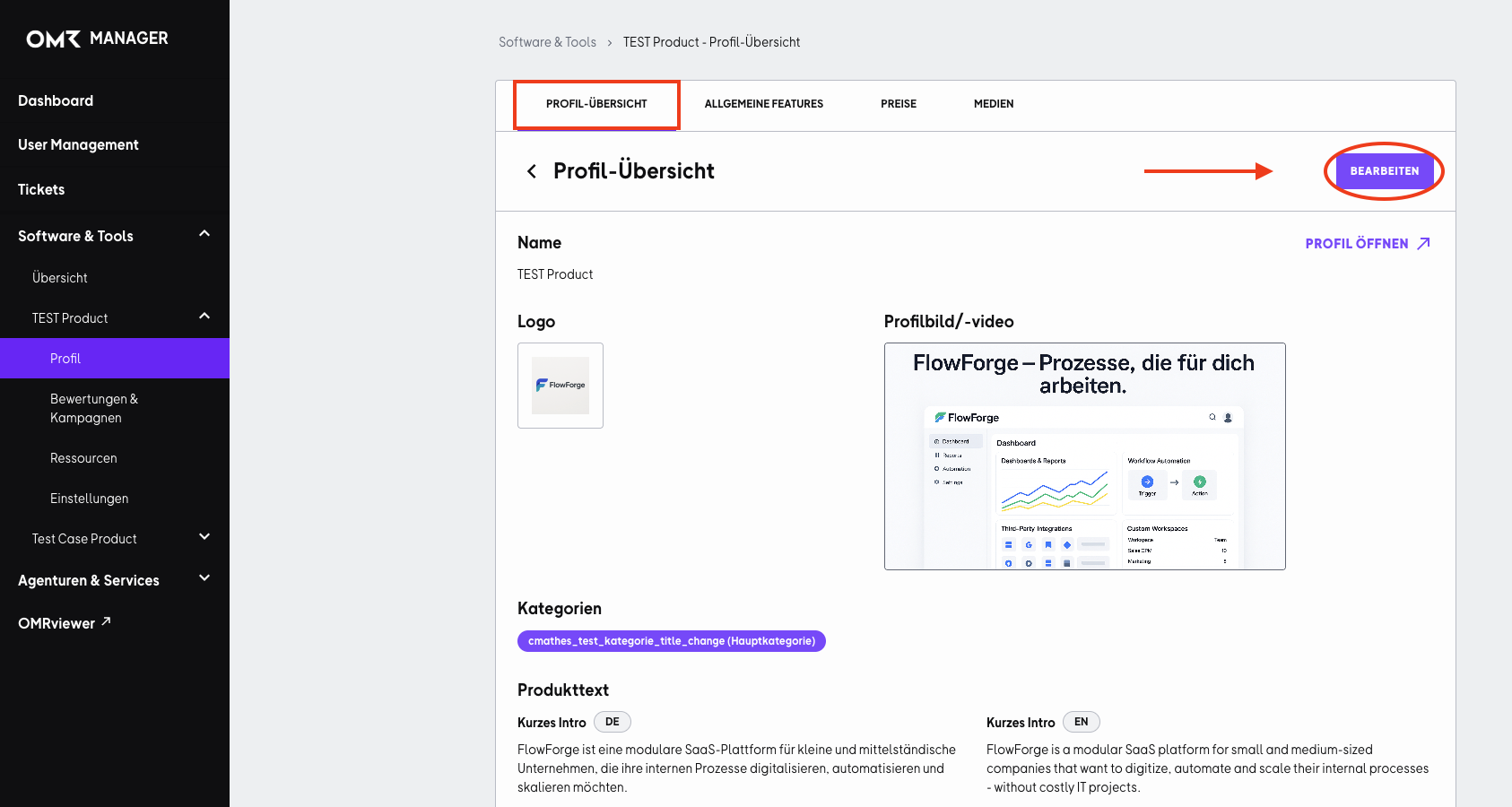
In the "Profile Overview" tab, click the "Edit" button in the top right corner.
Step 2
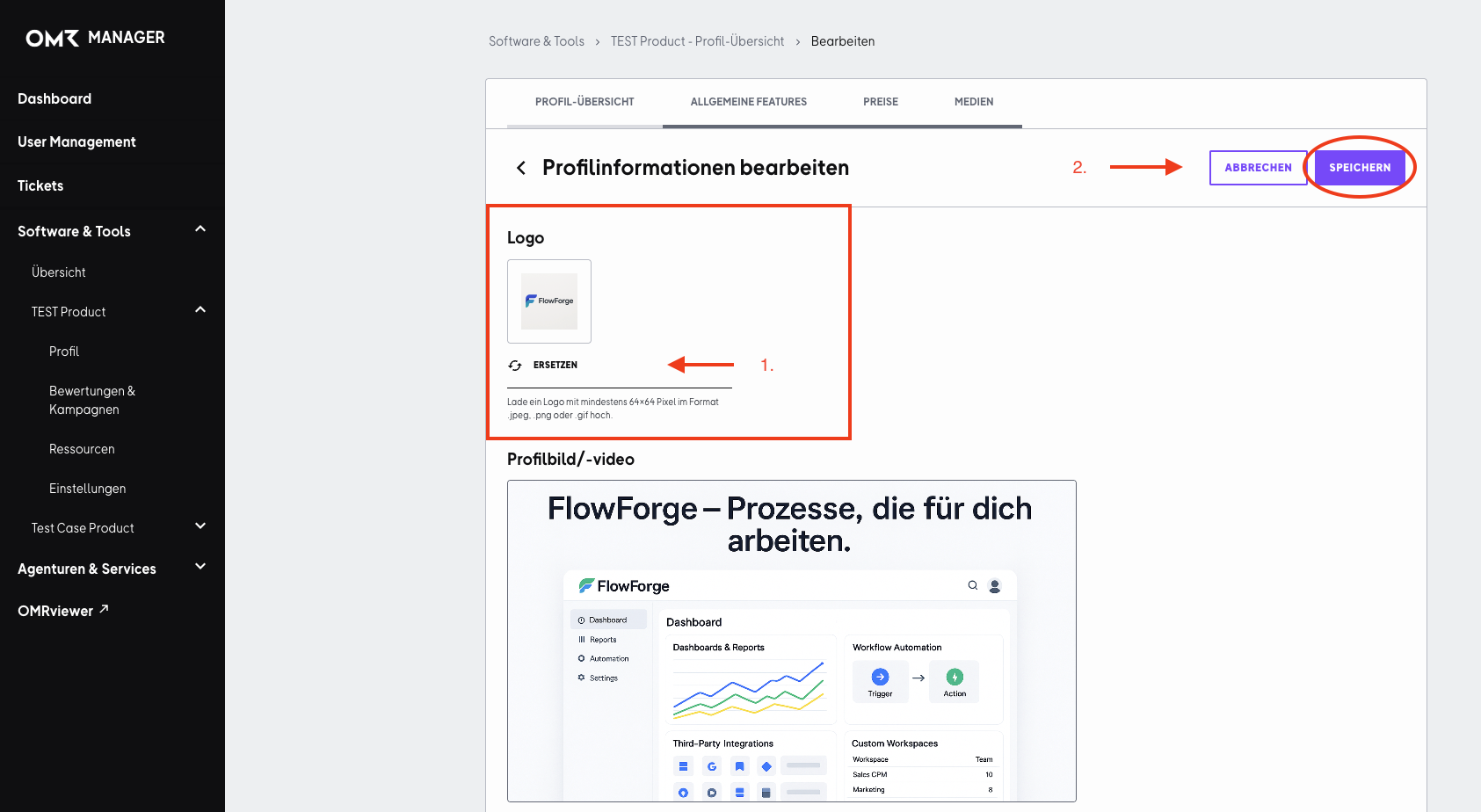
Click "Replace" under the logo tile and select the image you want. Then save your changes by clicking "Save" in the top right corner.
Product Description
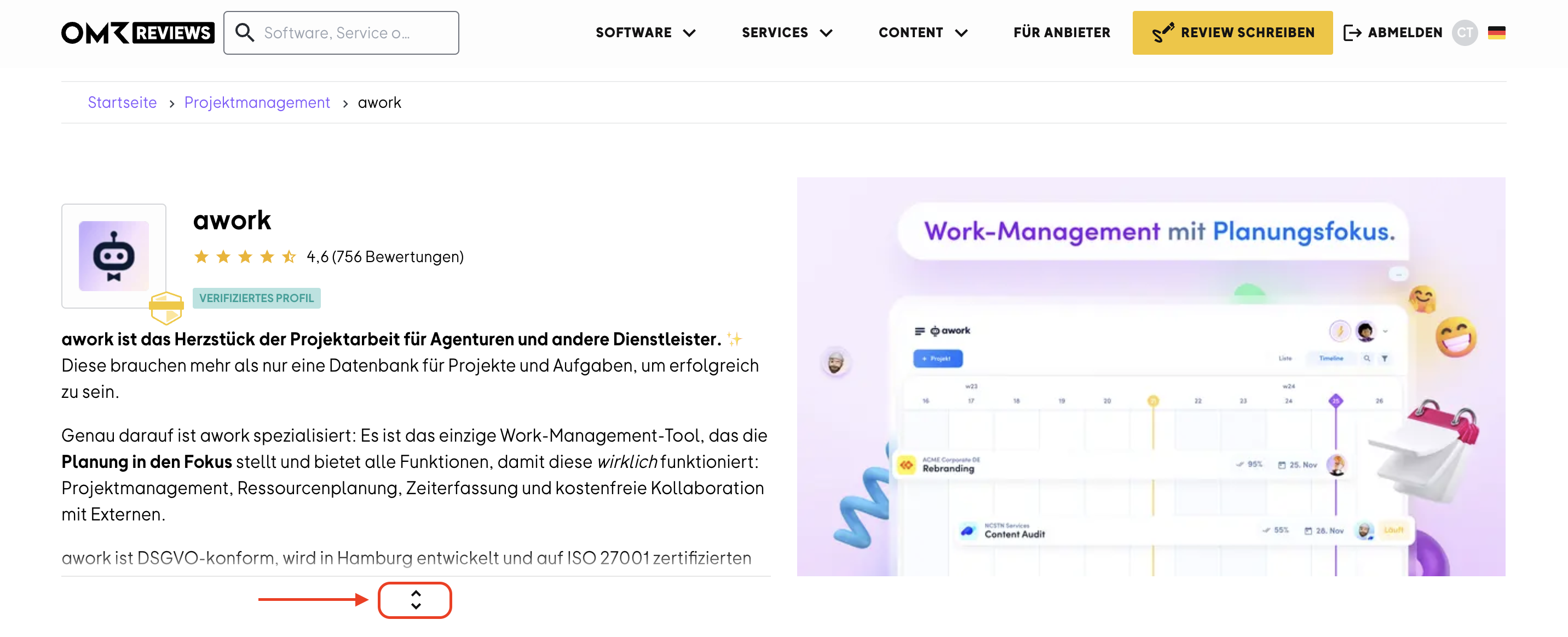
The product description appears at the top of your profile and can be expanded. It provides a clear and concise overview of a tool, including its benefits, features, and typical use cases.
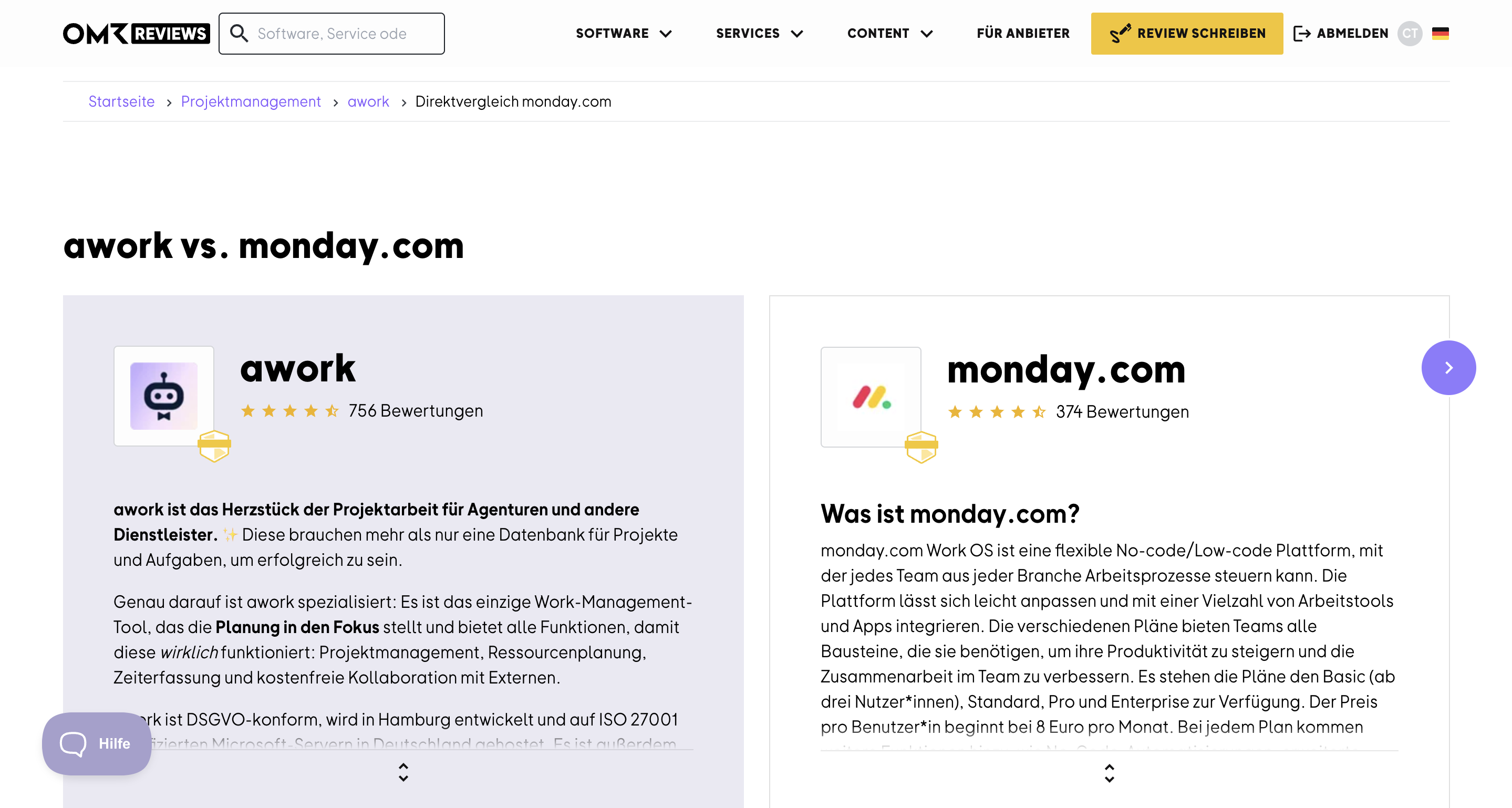
The expandable product or description text is also displayed when comparing tools side by side.
To update your product description, log in to your OMR Manager account and follow the steps below:
Step 1
Click the "Edit" button in the top right corner and scroll down further.
Step 2
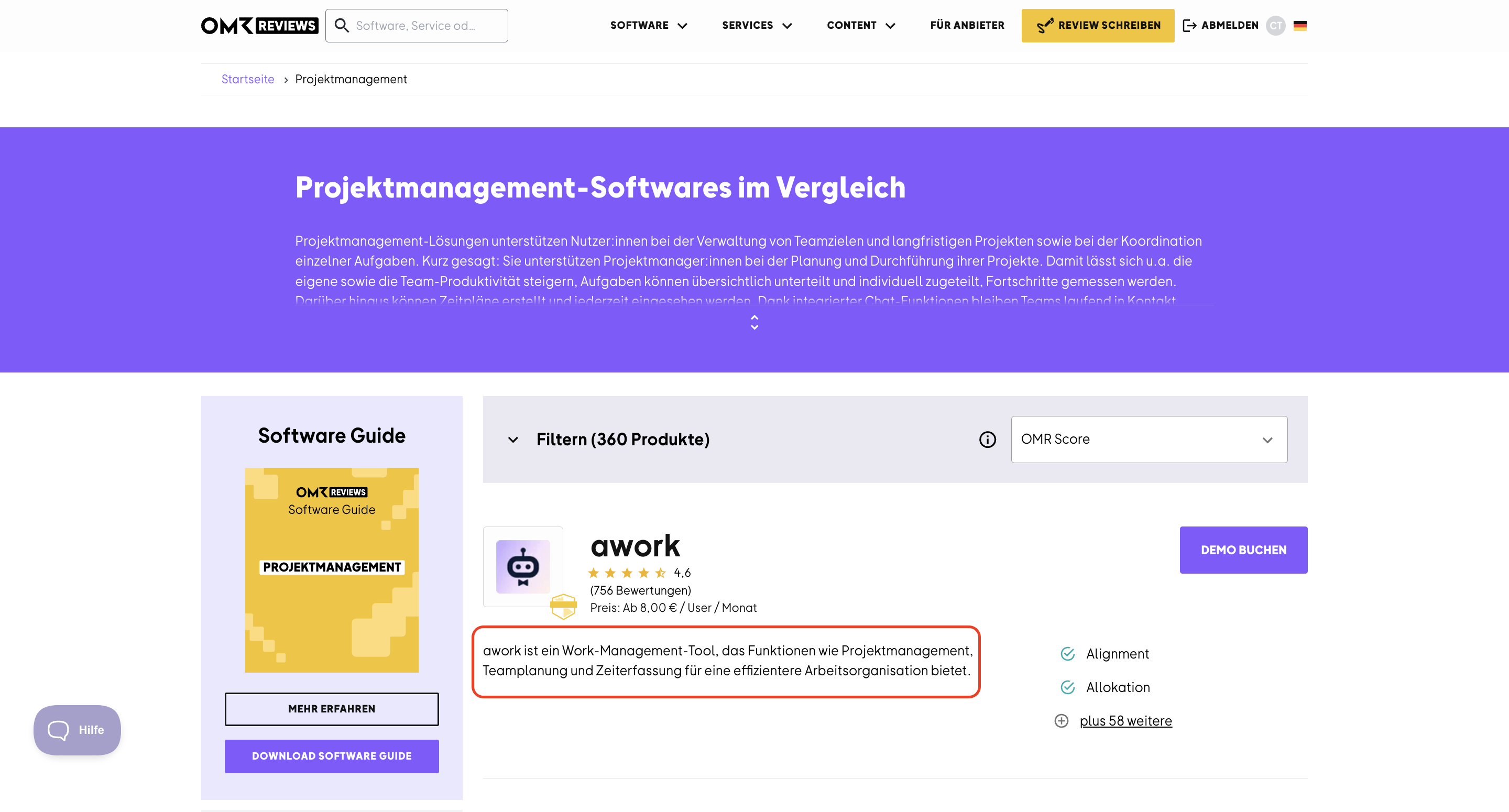
Enter a short and punchy teaser product description in the "Description text (short)" field that summarizes the tool's key features in a maximum of 180 characters. The short description text will be prominently displayed on the category page.
Step 3
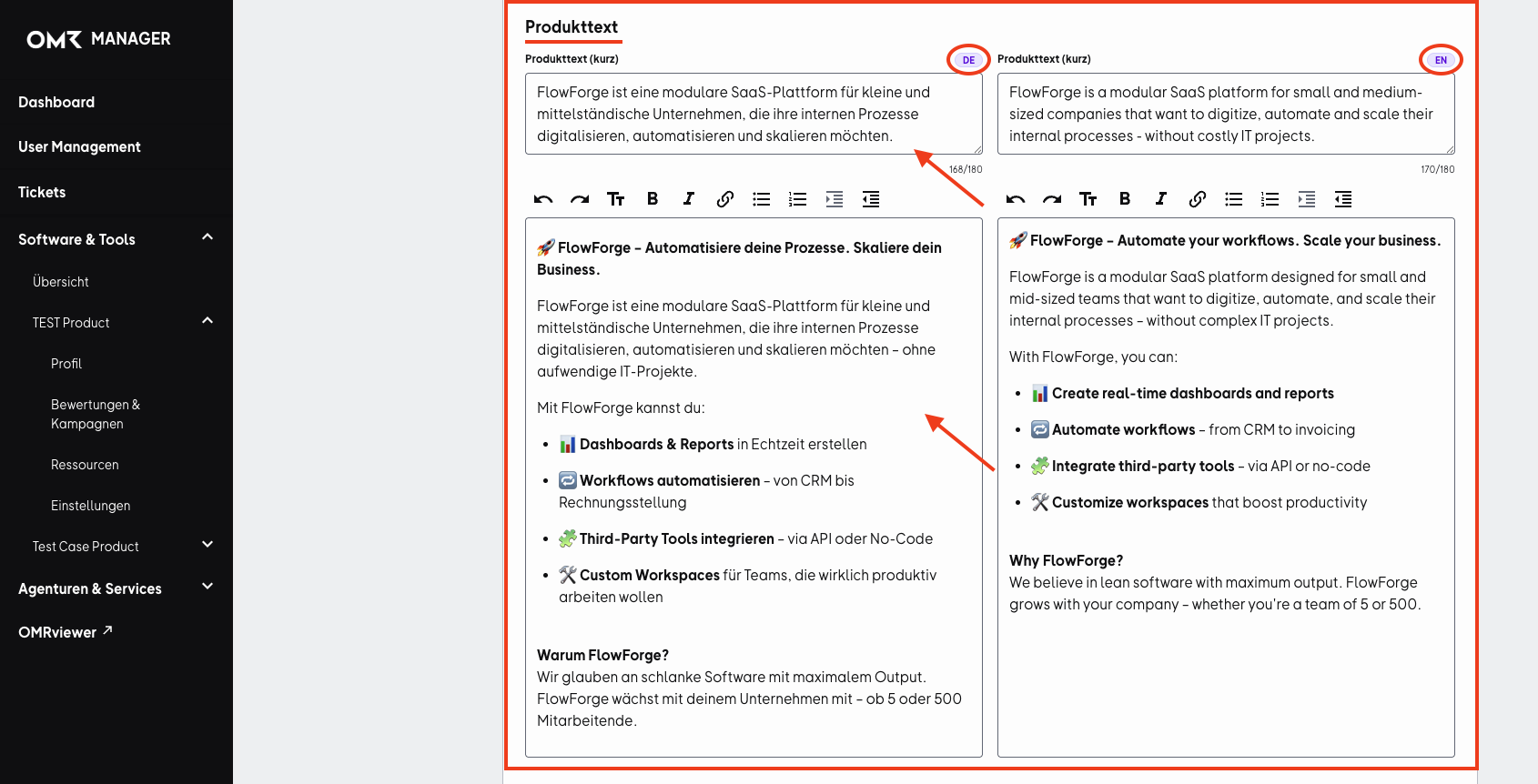
Enter a more detailed product or description text for your product profile in the larger text field.
Tips 💡
Use stylistic elements like subheadings and bullet points to make your text engaging and easy to understand. This promotes smooth reading flow and convinces readers.
Integrate subtle text links to specific landing pages and add UTM parameters to your links. This way, you can more effectively track and analyze the traffic coming from OMR Reviews.
It's important that you also create an English version of your product descriptions, since the OMR Reviews platform is also available in English. This allows you to reach a larger target audience of potential customers and increase your reach.
In the following article, you'll find tips and best practices for product descriptions.
 Powered by happysupport.ai