
Configure general features in your profile
Configure general features in your OMR Manager profile using the Allgemeine Features tab to highlight your setup, support, and trial availability
How to optimize your OMR Reviews profile: Add global features
Choosing new software isn’t easy. To make the decision easier, at least from a tech and compliance perspective, you can use the “Allgemeine Features” section to tell potential customers about your setup and support offering as well as your data protection standards. Data protection is particularly important in Germany, where strict requirements such as the GDPR ensure the protection of personal data. You can also indicate whether you offer a free trial and/or free version. This information builds trust and helps people feel confident about your product.
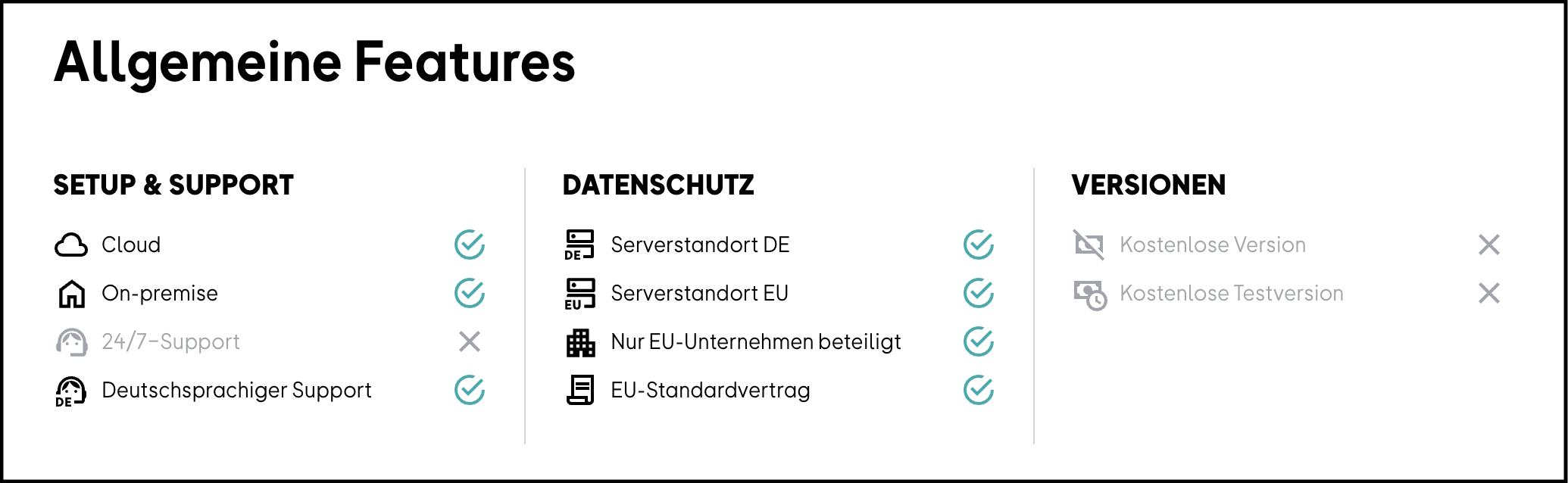
You can configure the general features in OMR Manager by selecting checkboxes in the “Allgemeine Features” tab. However, the available versions (free trial and/or free version) aren’t selected there directly. They’re based on the pricing plans you’ve added. As soon as you create a free pricing plan, it will automatically appear under the general features. Similarly, “Kostenlose Testversion” will only appear under the general features once you’ve enabled it by selecting the text option “Free Trial” in a pricing plan’s pricing options.
To change or update the features, log in to your OMR Manager account and follow the tutorial.👇
Step 1
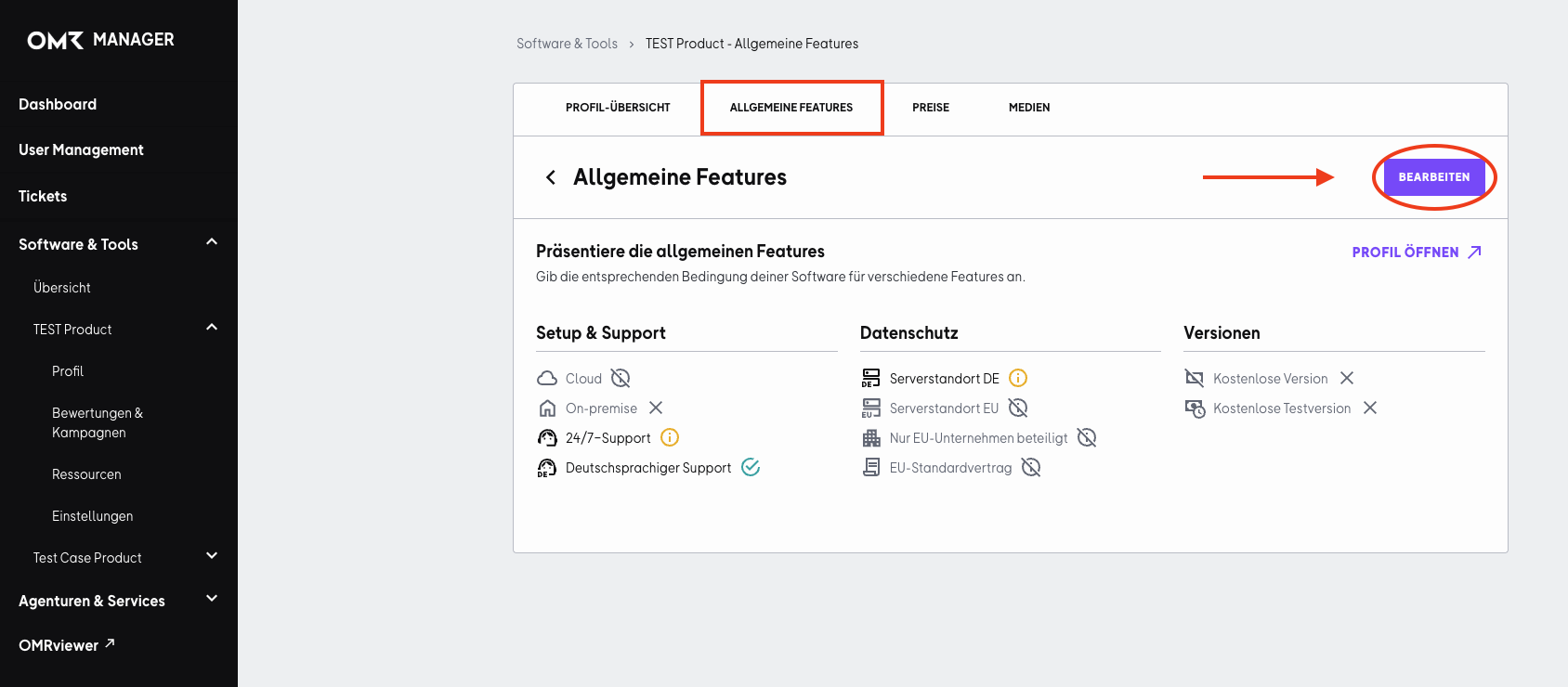
First, go to the “Allgemeine Features” tab and click the “Bearbeiten” button.
Step 2
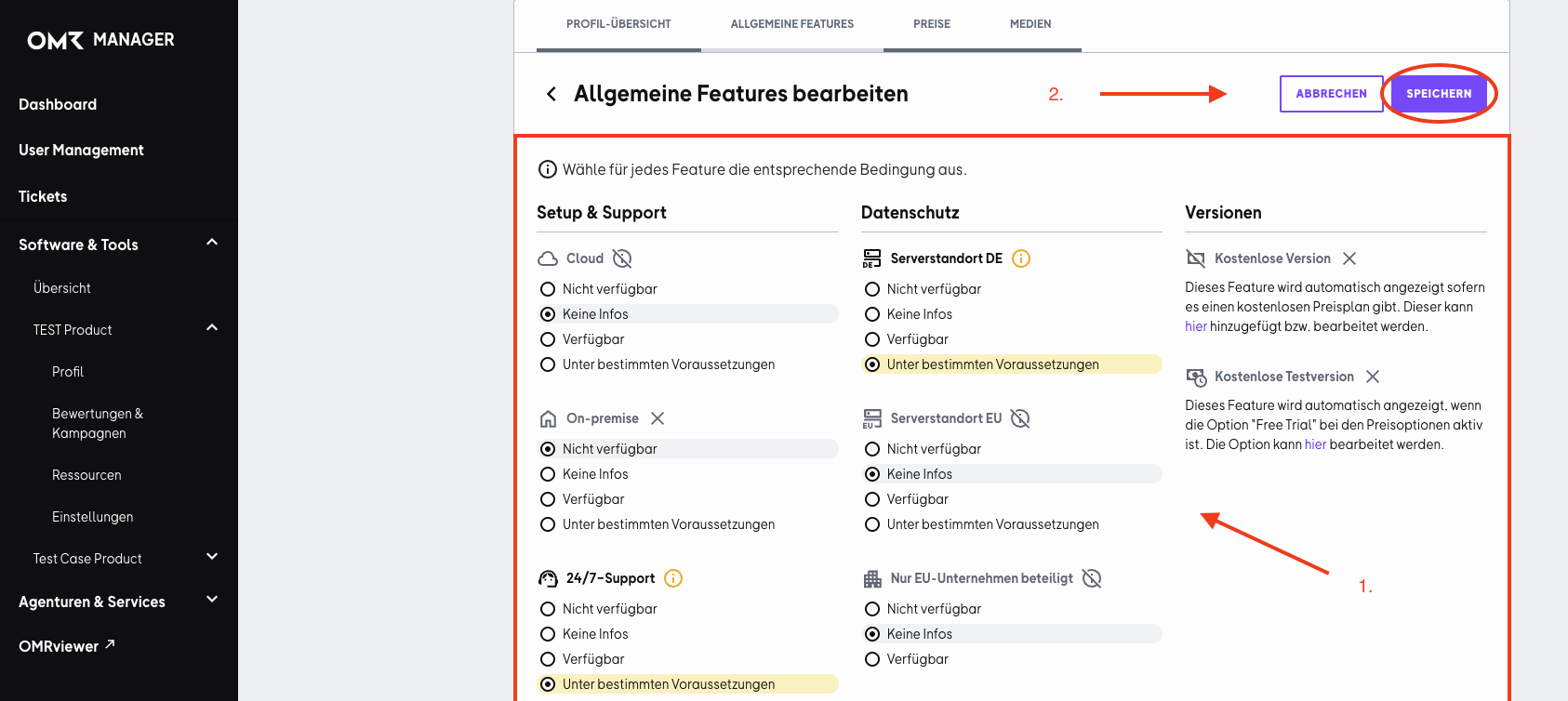
You can now select the relevant information about your tool’s features. Then click the “Speichern” button to save your changes.
 Powered by happysupport.ai