
Invite Colleagues to OMR Manager
Invite colleagues to OMR Manager by entering email addresses in Manage Users and assigning access rights before sending invitations.
Invite more colleagues to OMR Manager
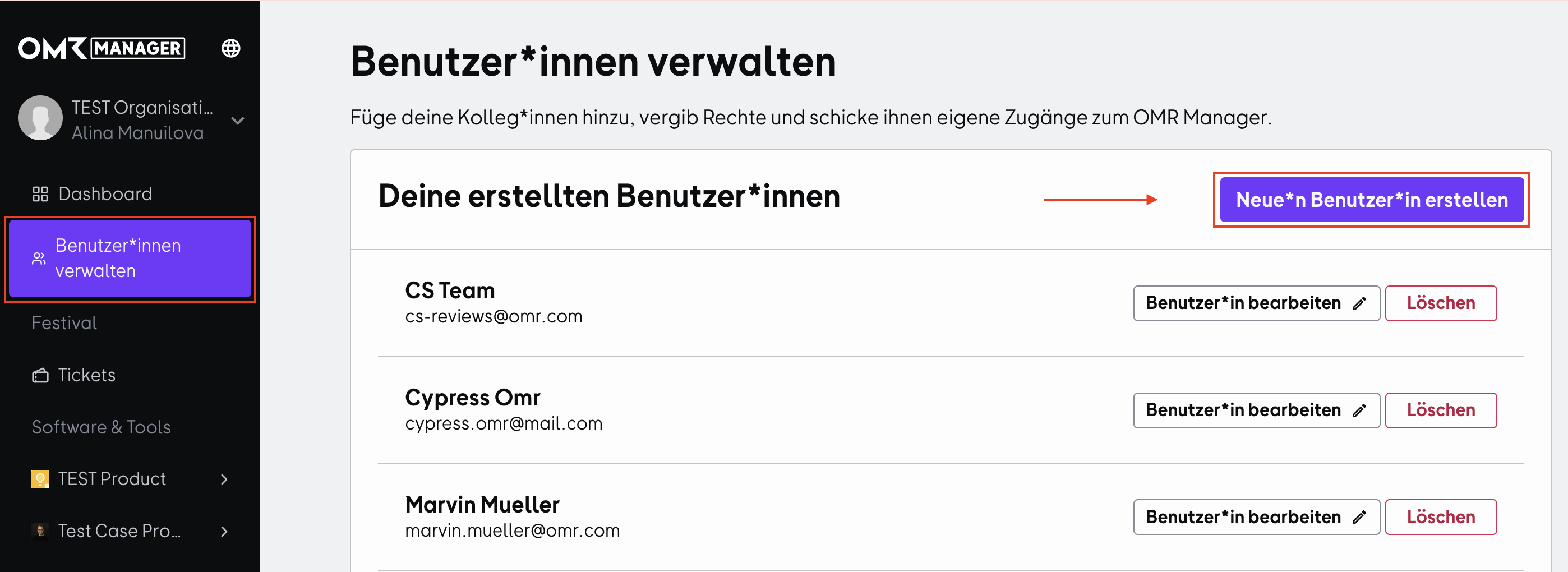
- Select the menu item "Manage Users" and click on "Create New User".
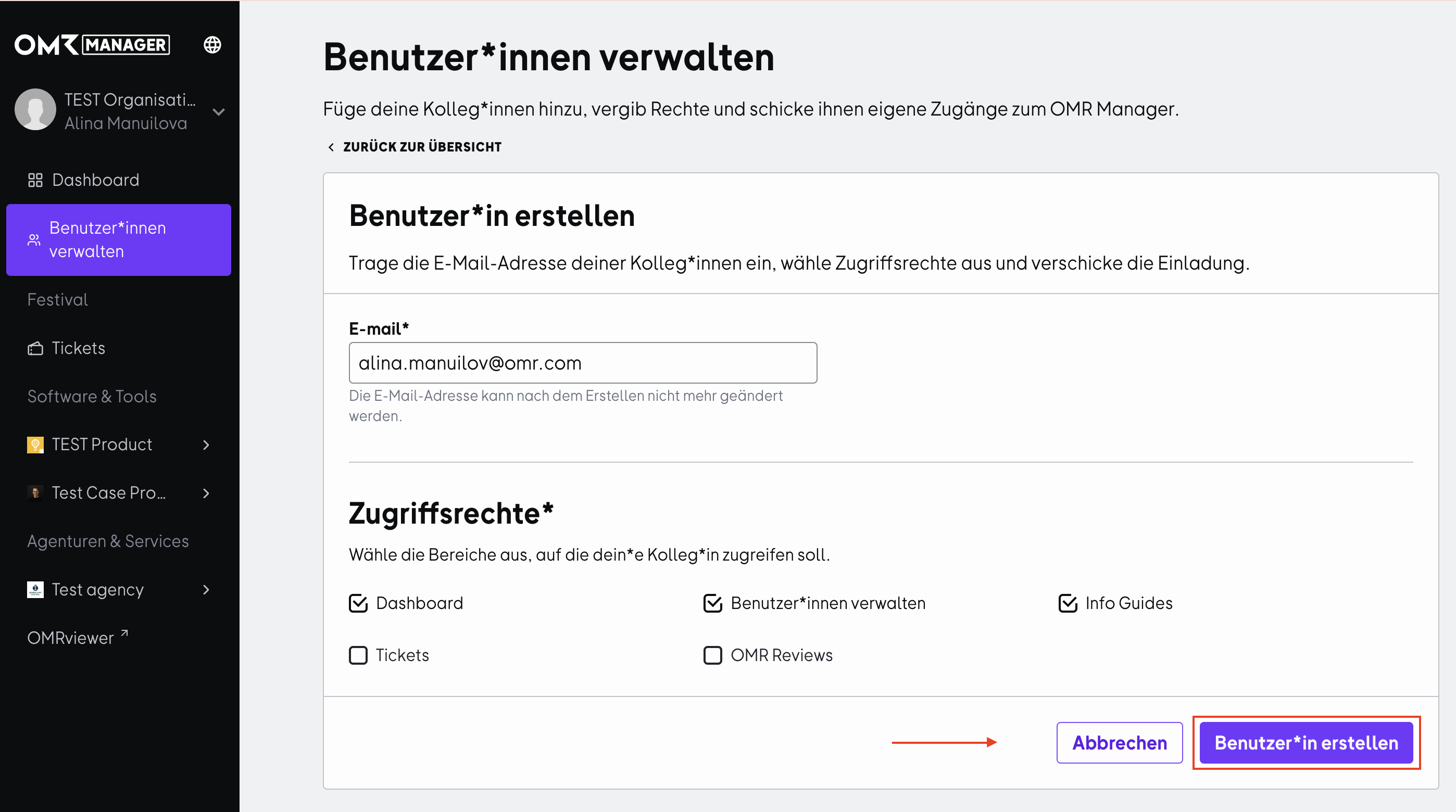
- Enter your colleagues' email addresses and select the appropriate areas in the "Access Rights" section that they should have access to. Then click on "Create User" to send an invitation email to your colleagues for access to OMR Manager.
Last updated  Powered by happysupport.ai
Powered by happysupport.ai© 2026 HappySupport. All rights reserved.