
Upload a Profile Picture and Video
Upload a profile picture or video to your OMR Reviews profile in OMR Manager to showcase your product and build customer trust
How to optimize your OMR Reviews profile: Upload a header banner or video
Upload an eye-catching header image or an engaging video to showcase your product and make a lasting impression on potential customers.
A carefully designed profile conveys professionalism and builds trust in your offering.
To upload or update your profile picture or video, log in to your OMR Manager account and follow the tutorial below 👇
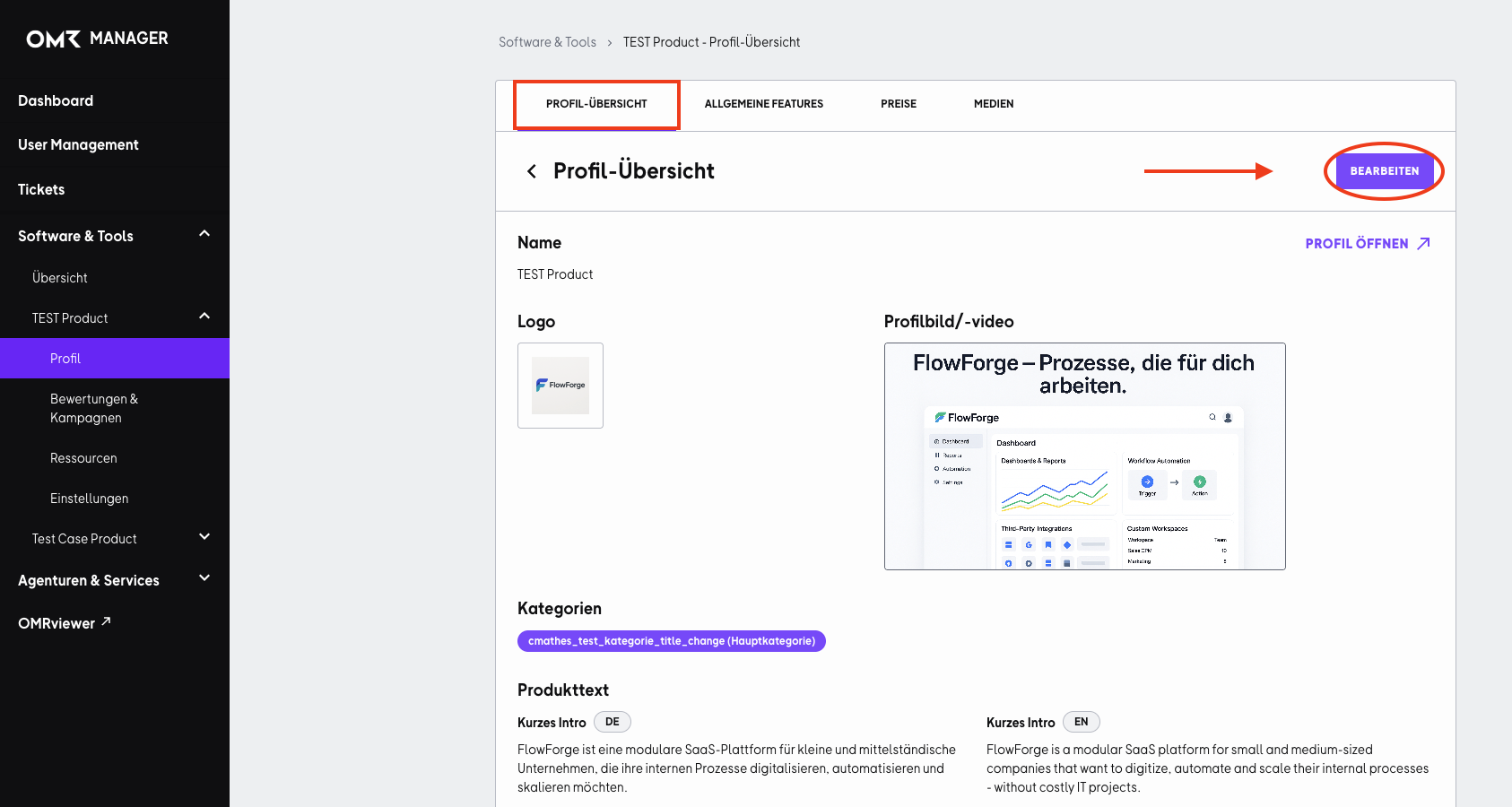
Step 1
Click the “Bearbeiten” button in the top-right corner.
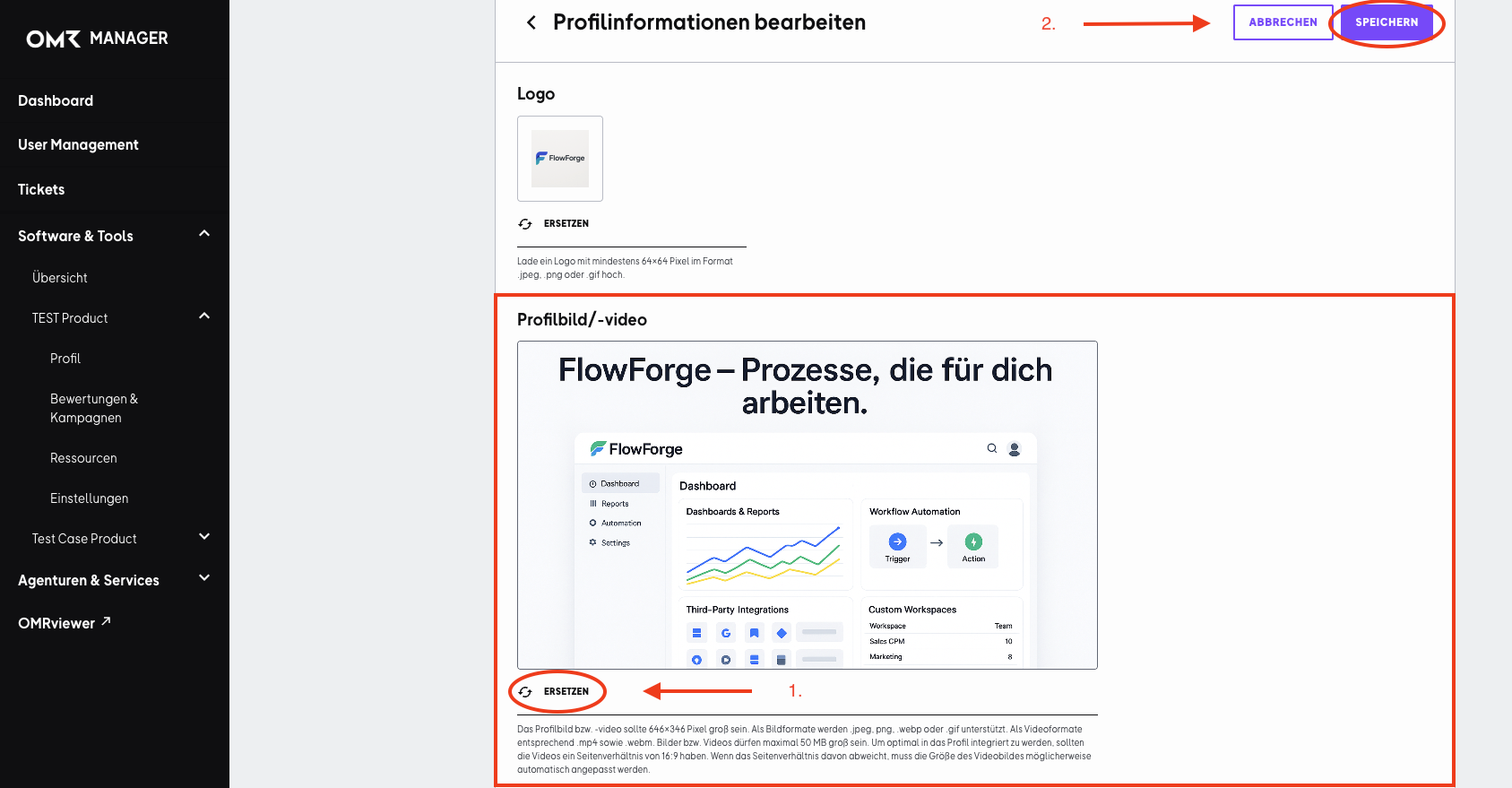
Step 2
Then click “Ersetzen” below the “Profilbild/-Video” field. Choose an image or video and save your changes.
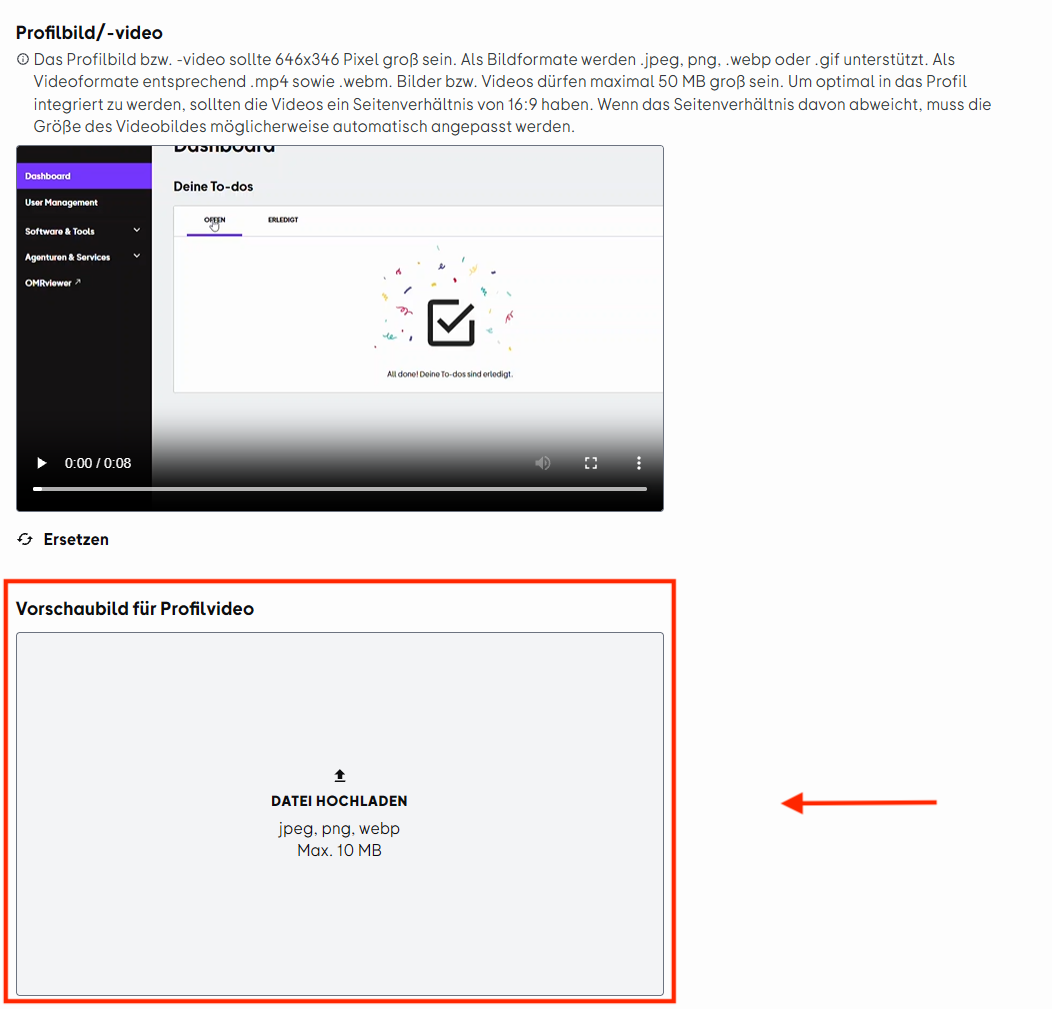
You can set a custom thumbnail for your header video. This means your profile will show the image you chose instead of automatically displaying the first frame of the video, giving you more control over how your profile looks and helping you make an even stronger first impression.
 )
)
 Powered by happysupport.ai