
Embedding the OMR Reviews Score Widget
Embed the OMR Reviews Score Widget on your website to display your current rating and review count in real time, building customer trust
Display your rating score directly on your website and build trust with potential customers.
Here's what you'll find in this article 👇
-
What is the OMR Reviews Score Widget?
-
How to find the widget in OMR Manager
-
How to integrate the widget on your website
What is the OMR Reviews Score Widget?
The OMR Reviews Score Widget is an HTML element that you can easily embed on your website. It displays your current average rating and the number of reviews for your product on OMR Reviews in real time. The display updates automatically whenever a new review comes in.
As a social proof element, the widget builds trust right where potential buyers make their decisions. At a glance, it shows that your product is rated positively by real users on an independent platform like OMR Reviews.
By linking it to your OMR Reviews product profile, the widget not only strengthens your brand perception but can also positively influence your website's conversion rate. With just one click, potential customers can go straight to your product profile on OMR Reviews and get authentic user experiences and purchase confirmations from real users. This helps you build additional trust in your software.
How to find the widget in OMR Manager
You'll find your OMR Reviews Score Widget in OMR Manager under "Software & Tools" in the "Resources" tab. There are four different versions available that you can flexibly use depending on your website's design:
-
Standard: Black OMR Reviews logo on white background
-
Inverse: White OMR Reviews logo on black background
-
Standard Transparent: Black OMR Reviews logo on transparent background
-
Inverse Transparent: White OMR Reviews logo on transparent background
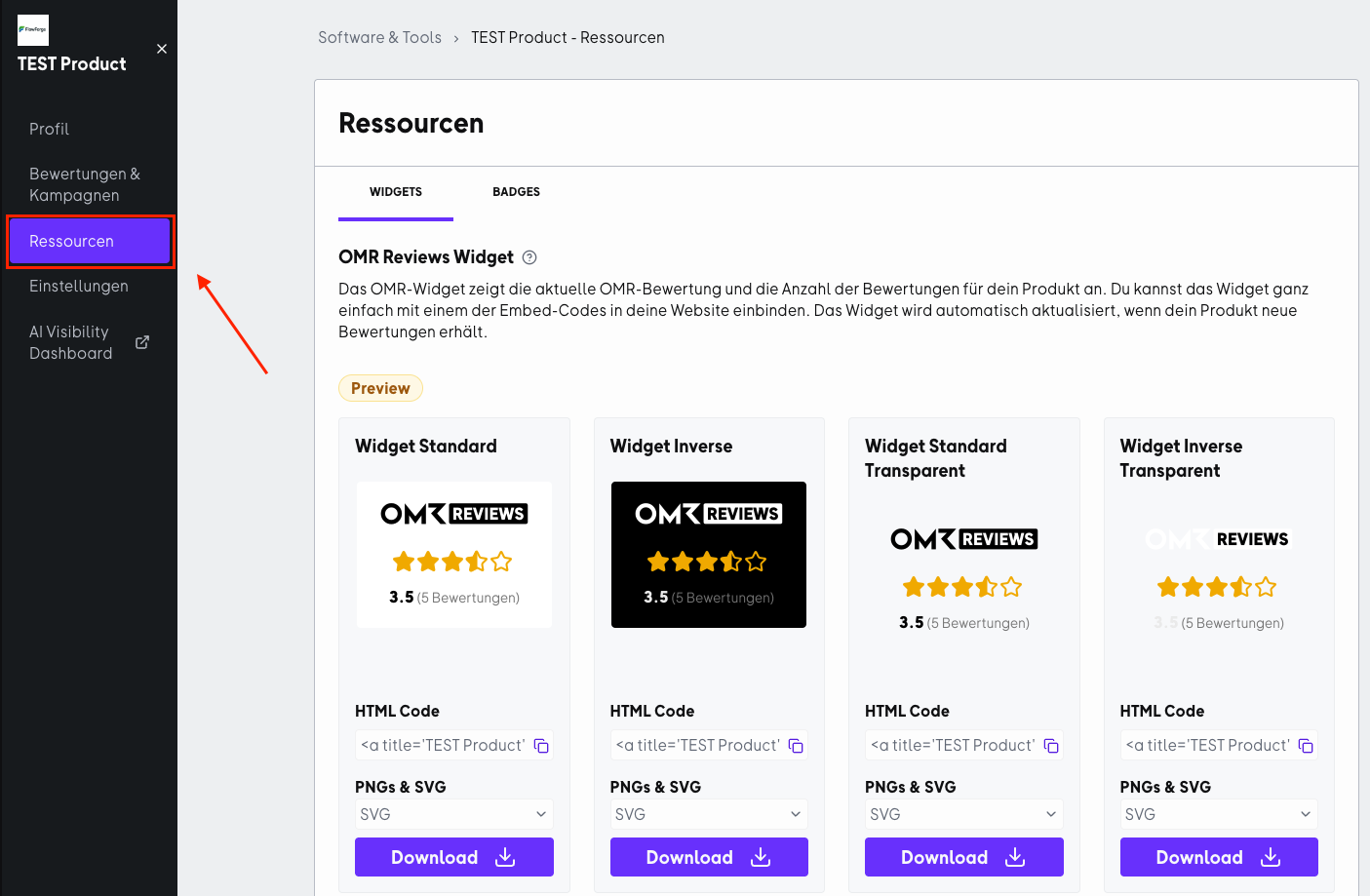
The HTML code provided in OMR Manager already includes an integrated link to your OMR Reviews product profile. This isn't just convenient for your visitors, it also gives you strategic advantages:
-
SEO signal through high-quality, thematically relevant linking:
Search engines view links as signals of relevance and trustworthiness. A link to an established review source helps search engines better understand your product in the right context. -
Greater visibility in AI-based search and answer systems (GEO / AI Visibility):
AI systems like ChatGPT, Gemini, or Perplexity increasingly rely on structured web signals, ratings, and linked entities to better understand brands and mention them in relevant answers. When your website has high-quality, contextually relevant links (like your OMR Reviews profile), you strengthen the semantic connection between your brand, your category (for example, "Billing"), and a trustworthy source. This can help your brand be better captured in AI Knowledge Graphs and increase your visibility in AI-generated results.
How to integrate the widget on your website
- Choose the widget version that fits your needs.
- Copy the corresponding HTML code from the text field.
- Insert the code into the HTML area of your website - for example, on your homepage, product page, or in the footer.
⚠️ Make sure to not modify the provided code. This is the only way to ensure the widget works correctly and updates automatically.
 Powered by happysupport.ai