
Step-by-Step Guide to Your PPC Ad on OMR Reviews
Create a Pay-per-Click campaign on OMR Reviews by setting your budget, Cost-per-Click, targeting categories, and tracking performance via your PPC Dashboard
Pay-per-Click Campaigns: How to Successfully Launch PPC Ads on OMR Reviews
What you'll find in this article 👇
- Benefits of Pay-per-Click campaigns (PPC) on OMR Reviews
- Checklist for Pay-per-Click campaigns on OMR Reviews
- Get to know the ad formats
- Understand your ad budget and Cost-per-Click (CPC)
- Set up your campaign
- Order/commission your ad creative
- Set up tracking and measurability
- Final check of your campaign setup before going live
1. Benefits of Pay-per-Click Campaigns (PPC) on OMR Reviews
OMR Reviews Pay-per-Click campaigns (PPC) give you the opportunity to run various ad formats on OMR Reviews. The best part: you only pay for actual clicks!
With a PPC campaign in a relevant article in the OMR Reviews ContentHub, you don't just get valuable clicks, you reach your target audience right at the beginning of their software buying journey, so you can win potential customers early on.
👁️🗨️ Free visibility and reach
You only pay for actual clicks on your ads. Every impression that doesn't generate clicks is free advertising for you.
🎯 Precise targeting
You reach customers who are actively researching software on OMR Reviews and have genuine interest in your offering. We guarantee clicks from the DACH region and reliably filter out bots.
🧩 Customized strategy
You choose the categories where you want to be present and grow. We position your software where it will have the greatest impact.
🤝 Increased trust
You benefit from our visitors' and readers' trust in our platform and content, and by extension, their confidence in your ads.
📈 Transparent performance tracking
You can always keep track of your traffic and spending with your OMR Reviews PPC Dashboard.
2. Checklist for Pay-per-Click Campaigns on OMR Reviews
Use the following checklist to set up your ad package on OMR Reviews quickly and optimally. Once you've completed all the steps, you can launch your campaign and track performance via your PPC Dashboard.
1. Get to know the ad formats: Find the right format for your campaign
Before you launch your campaign, you should familiarize yourself with the different ad formats: PPC banners, text links, or placements in recommendation boxes in relevant articles. You decide how your product gets into the spotlight.
✅ Banner: Graphical, clickable ads on relevant pages
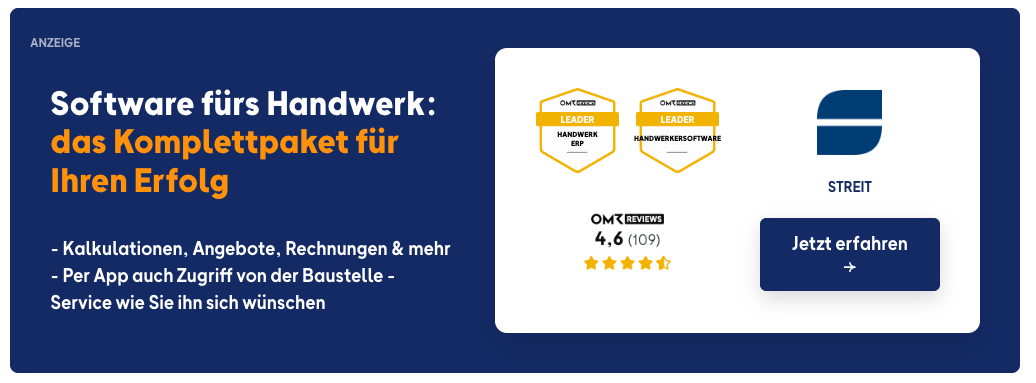
✅ Text link: Contextual, clickable mention in relevant articles and listings

✅ Recommendation box: Clickable listing as a recommended provider in relevant articles and listings
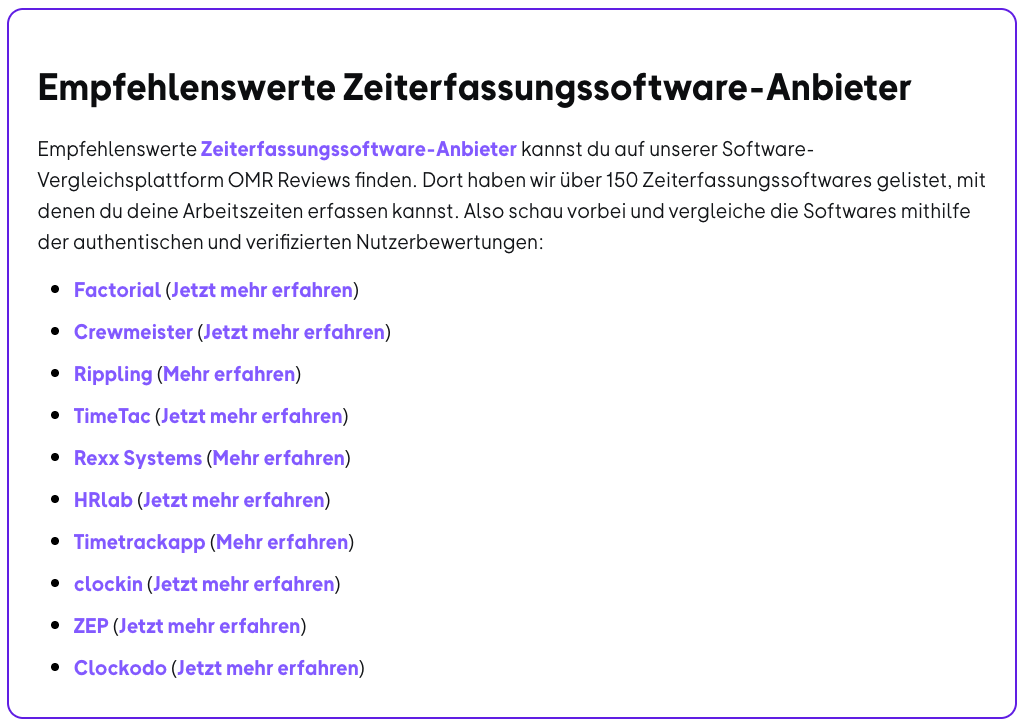
✅ Comparison page: Listing on dedicated pages with direct comparison
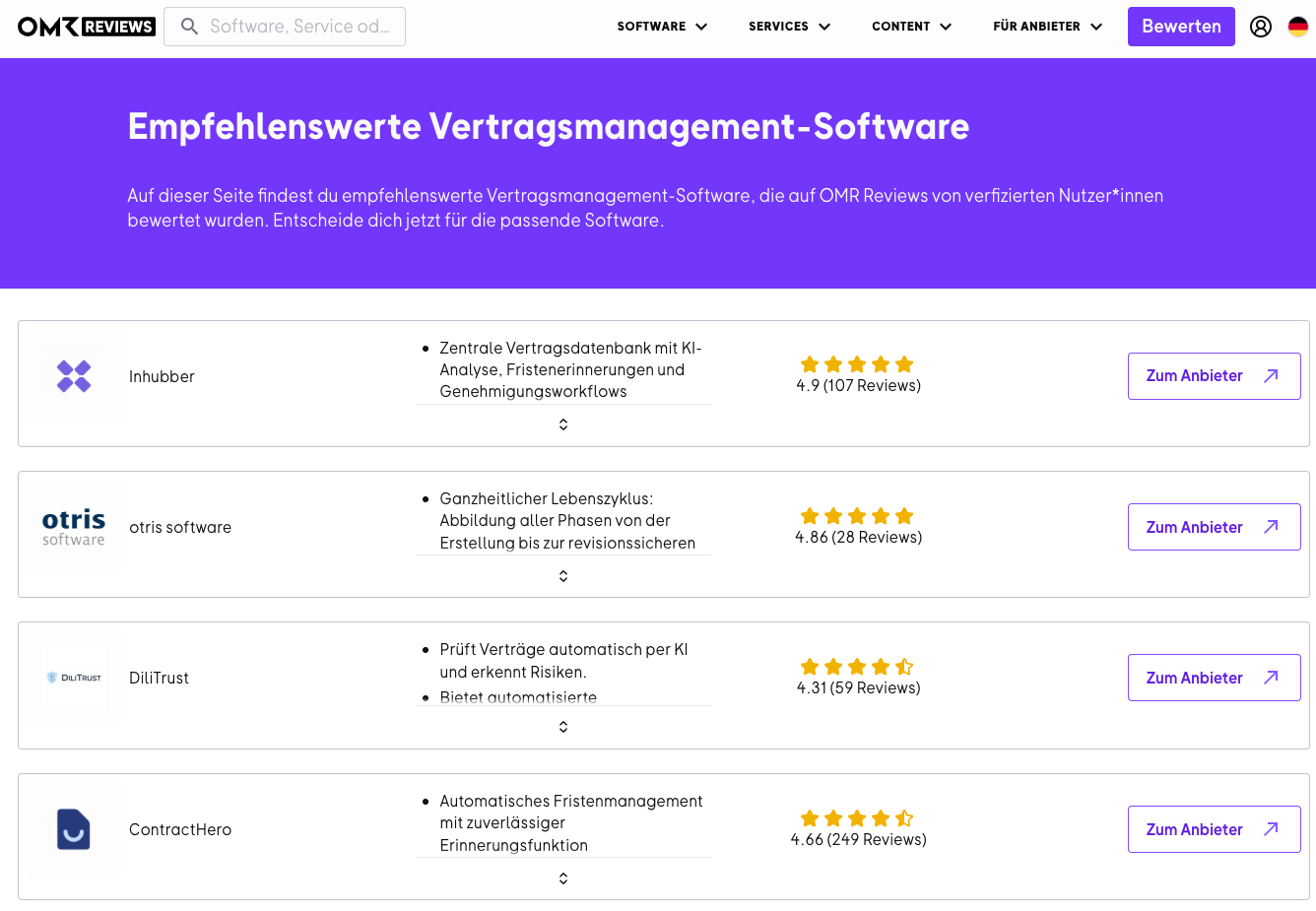
✅ Competitor profile: Prominent ad on competitor product pages
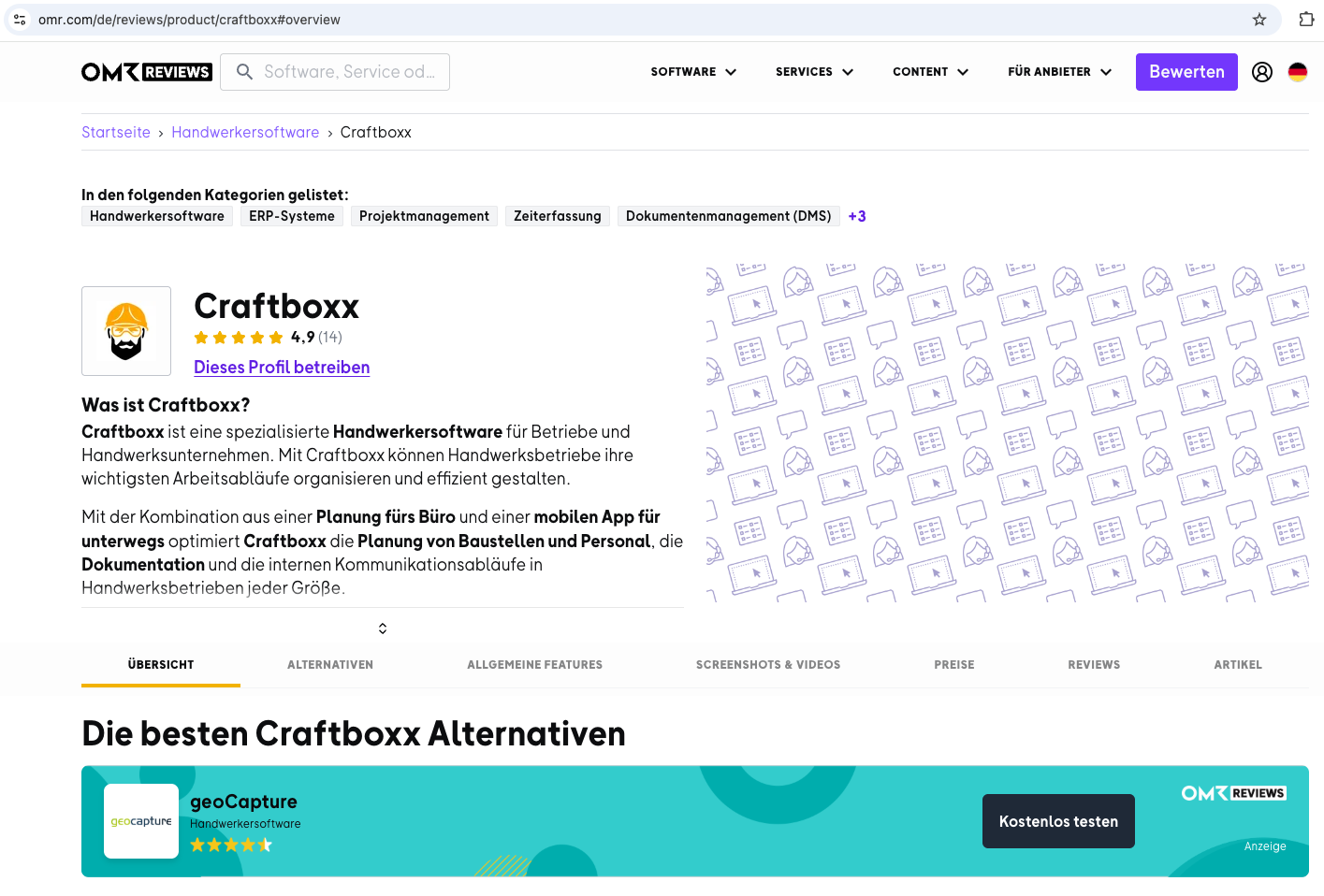
2. Understand your ad budget and Cost-per-Click (CPC): Plan your costs properly
Your ads run on a Cost-per-Click model (CPC).
The click price (CPC) depends on various factors such as category, competition, and performance history. A good understanding of CPC logic helps you use your budget strategically and efficiently:
- Each category has its own CPC.
- If you select multiple categories, your final click price is the average of the selected categories.
- Only clicks from Germany, Austria, and Switzerland are billed. International clicks appear in your dashboard but don't cost you anything.
- Billing occurs monthly at the beginning of the following month.
Monthly budget limit: To start, you don't need to set a limit. If you want to cap your spending, we can set up a monthly budget for you at any time. Once it's reached, your campaigns automatically pause and restart at the beginning of the next month. You won't be charged beyond your agreed budget.
3. Set up your campaign: Configure your campaign effectively
To optimize your campaign, you need to make the following decisions:
- Select categories:
Choose the categories where your product should be advertised. - Select articles:
Choose content or placements that best match your target audience.
Your selection determines where your ads appear on OMR Reviews and which users you reach. You'll get an overview of all integration options from your OMR Reviews contact person. You can find more information and contact options here.
Your ads will then be displayed dynamically by category and article. There's no fixed list of specific URLs where your ads run permanently.
4. Order/commission your ad creative: Design your ads properly
You can either provide your own banners, have OMR Reviews create the design, or commission it externally through our partner adfriends. The following options are available to you:
1. Provide your own banner design
Please ensure the following specifications:
| Specification | Requirement |
|---|---|
| Format: | 1016 x 500 px |
| File format: | PNG or JPG |
| Ad disclosure: | Label indicating advertisement (e.g. "Ad") |
| Call-to-action: | Clear call-to-action (e.g. "Try now") |
| Animation: | Animated elements and GIFs are allowed |
You can find an example banner here. If you have more questions, feel free to contact us!
2. Have OMR Reviews create your banner design
If you'd like us to create the banner design for you, please provide us with the following content:
| Content | Description |
|---|---|
| ✔️ Banner header: | A catchy headline |
| ✔️ Banner text: | Short, persuasive copy |
| ✔️ Banner CTA: | Clear call-to-action (e.g. "Learn more") |
| ✔️ Logo: | High resolution in PNG format |
This ensures your banner is attractively designed and optimally placed. For more information, check out our article "Creating Banners for PPC Ads".
You can also run your own design and a banner created by us in parallel. The version that performs better will then be displayed more frequently.
3. Commission professional banner design from adfriends
Our partner adfriends supports you in creating high-quality advertising materials, perfectly tailored to your PPC campaigns on OMR Reviews:
- HTML5 banners
- Social media ads
- Motion design
You get all the formats you need from a single source, including thoughtful concept development and audience-optimized copy for maximum impact. For more information, visit the adfriends website.
5. Set up tracking and measurability: Keep tabs on your campaign performance
To reliably measure your campaign's success, the following technical steps are necessary:
- Add landing pages:
Enter the appropriate landing page for each selected category or article where users will be directed. - Set up UTM parameters:
Integrate UTM parameters directly into your landing page URLs or send us general UTMs for campaign evaluation. You can useutm_source,utm_medium,utm_content, andutm_term. - Confirm your email address:
Confirm your email address through the confirmation email from OMR Reviews to gain access to your PPC Dashboard. - Set up your PPC Dashboard:
After confirmation, your personalized dashboard will be created.
Once your dashboard is active, you can transparently track your campaign's performance at any time. Learn how to use it in our article on the OMR Reviews PPC Dashboard.
6. Final check of your campaign setup before going live
Before your campaign goes live, verify that all requirements for publication are met:
✅ Placements and landing pages defined
✅ Ad creative uploaded or created
✅ Tracking setup complete
✅ Campaign start confirmed
After launch: After about two to three months of running, you'll have enough data to evaluate your campaign together and make adjustments. Just reach out to cs-reviews@omr.com. We'll analyze your campaign and give you concrete optimization suggestions.
👉 Find frequently asked questions about Pay-per-Click (PPC) here.
 Powered by happysupport.ai