
Signal Types for Software Providers
Track purchase intent signals in OMRviewer by monitoring profile visits, competitor activity, and category pages scored by intent level and buying stage
In this article, we describe the different signal types in OMRviewer.
In OMRviewer, you have access to various signals depending on your booked package. These give you information about the strength of purchase intent from potential customers. 
-
Profile Visits
A user visits your software or agency profile on OMR Reviews.
-
Competitor Visits
A user visits a competitor's profile.
-
Category Page Visits
A user visits your category or categories on OMR Reviews. By default, signals from three different categories are included. If you'd like to get access to signals from other categories, please contact our customer support team.
-
ContentHub Visits
Get insights into which companies are reading ContentHub articles that mention your product.
-
Exhibitor Profile Visits
A user visits your OMR Festival exhibitor profile page.
Single-Line Principle and Intent Scoring
Each signal contains detailed information such as the date of the visit, company name, company location, pages visited, time spent on site, and intent score in a practical and clear format, all in a single line.
 -Feb-18-2025-02-57-17-6937-PM)
 -Feb-18-2025-02-57-43-0620-PM)
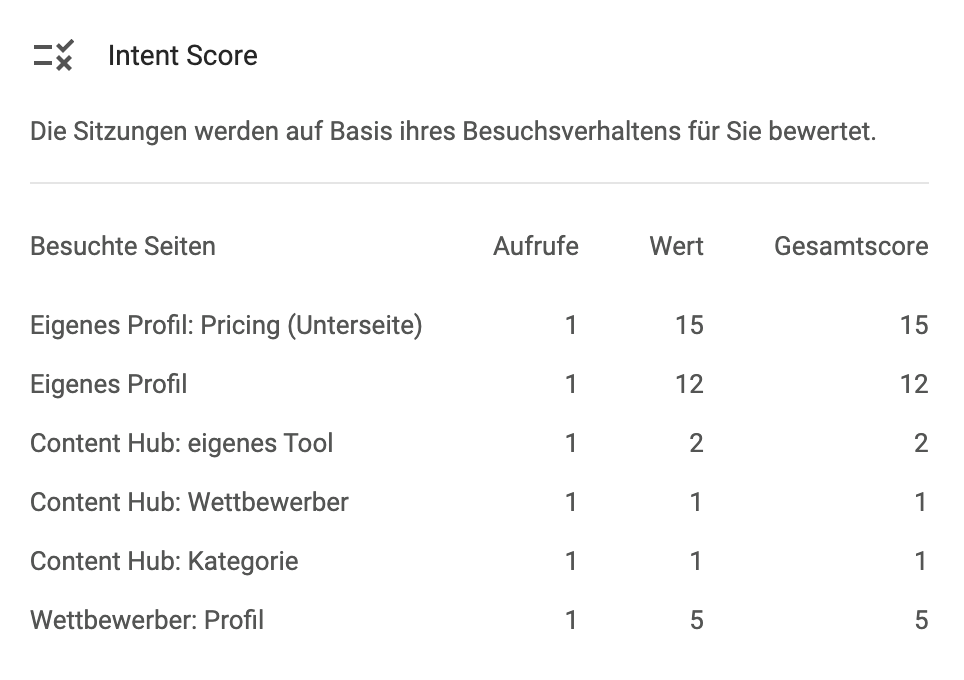
The Intent Score is based on visit behavior and shows you how relevant a signal is and how strong the purchase intent of a company is estimated to be. A higher score means a greater likelihood that the company is interested in your solution.
Below you can see all OMR Reviews signals (Page Type) and their Intent Score:
Page Type
Signal
Intent Score
Buying Stage
Description
product-pricing
Visit to your own pricing page
15
Decision
Users are actively checking your product's pricing.
product
Visit to your own product page
12
Decision
Potential buyers are intensively learning about your tool.
compare
Comparison with competitor (your page)
10
Evaluation
Users are comparing your product with a competitor.
compare
Comparison with competitor (competitor's page)
10
Evaluation
Users are comparing a competitor with yours, but on their profile.
product-all-reviews
Visit to your own "All Reviews" page
8
Evaluation
Users are interested in existing customer reviews.
alternative
Visit to your own alternatives page
7
Evaluation
Users are checking alternatives to your product.
product-pricing
Visit to a competitor's pricing page
6
Awareness
Company is interested in competitor pricing.
product
Visit to a competitor's product page
5
Awareness
Users are learning about another tool.
category
Visit to a category page
3
Awareness
Users are generally searching for solutions in a category.
compare
Comparison of two competitors (without your tool)
3
Awareness
Users are comparing two competitors, your tool is not involved.
festival_exhibitor
Visit to your own festival exhibitor page
3
Awareness
Interest in your company at OMR Festival.
article
Visit to an article about your tool
2
Awareness
Users are reading articles that mention your product.
alternative
Visit to a competitor's alternatives page
2
Awareness
Company is checking alternatives to a competitor.
festival_exhibitor
Visit to a competitor's festival page
2
Awareness
Company is interested in a competitor at OMR Festival.
product-all-reviews
Visit to a competitor's "All Reviews" page
2
Awareness
Users are viewing customer reviews of the competitor.
article
Visit to an article about a competitor
1
Awareness
Company is learning about the competition.
article
Visit to a category article
1
Awareness
Users are reading general content about the software category.
Example: If a company visits your profile twice and a competitor's profile once, the total score is 29 points.
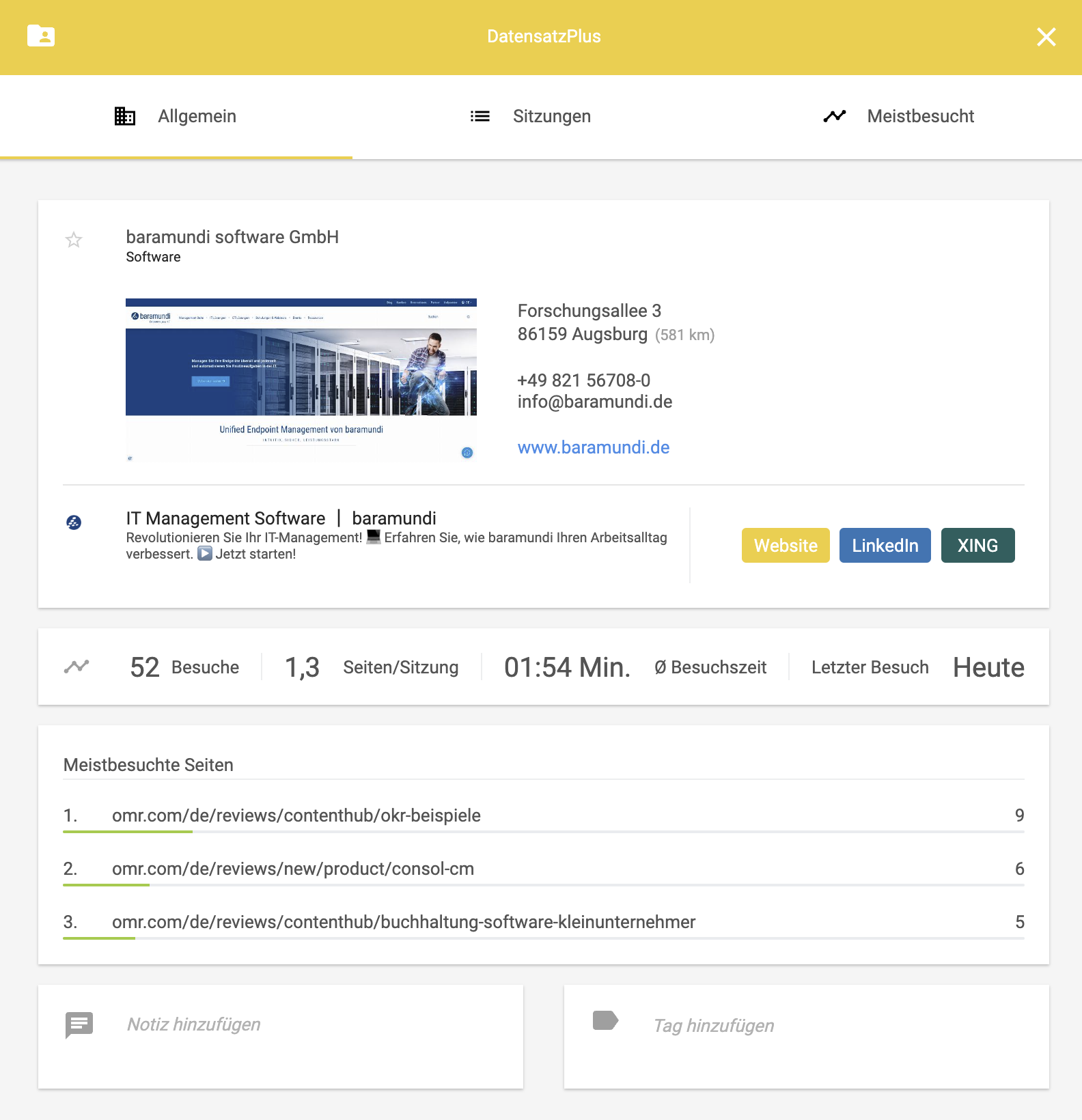
On the right side of the line, you'll also find the company's website and the DatasetPlus. The DatasetPlus provides you with additional information, such as the company's address, email address, and links to LinkedIn and Xing profiles (if available). There you can also add your own notes and tags for companies.
 -Feb-18-2025-02-58-08-8105-PM)
 Powered by happysupport.ai