
Documents for the Download Section
Upload whitepapers and e-books to your OMR Reviews product profile Downloads section to generate qualified leads and build customer trust.
How to Optimize Your OMR Reviews Profile: Provide Marketing Materials
In the "Downloads" section of your product profile on OMR Reviews, you can provide valuable resources like whitepapers and e-books. These materials serve not only as an information source for software seekers, but also allow you to generate and qualify leads. When someone downloads a document, you create a touchpoint with potential customers who have already shown concrete interest in your product or service.
Since users agree to be contacted when they download, you can then provide them with additional relevant content like case studies, webinars, or comparison analyses. This way, you can build trust and increase conversion rates by addressing the specific needs and challenges of your target audience.
Additionally, tracking and analytics tools provide valuable insights into user behavior. You can see which content is most popular and which topics generate particular interest with your audience. These insights help you optimize your marketing campaigns based on data and strategically align your content strategy.
A well-maintained download section not only strengthens customer loyalty, but also increases brand authority. Through high-quality and relevant content, you guide potential customers throughout their entire buying journey and position your company as a trusted industry expert.
The documents in the download section provide comprehensive information about how your product works, answer frequently asked questions, and offer interesting insights into your categories.
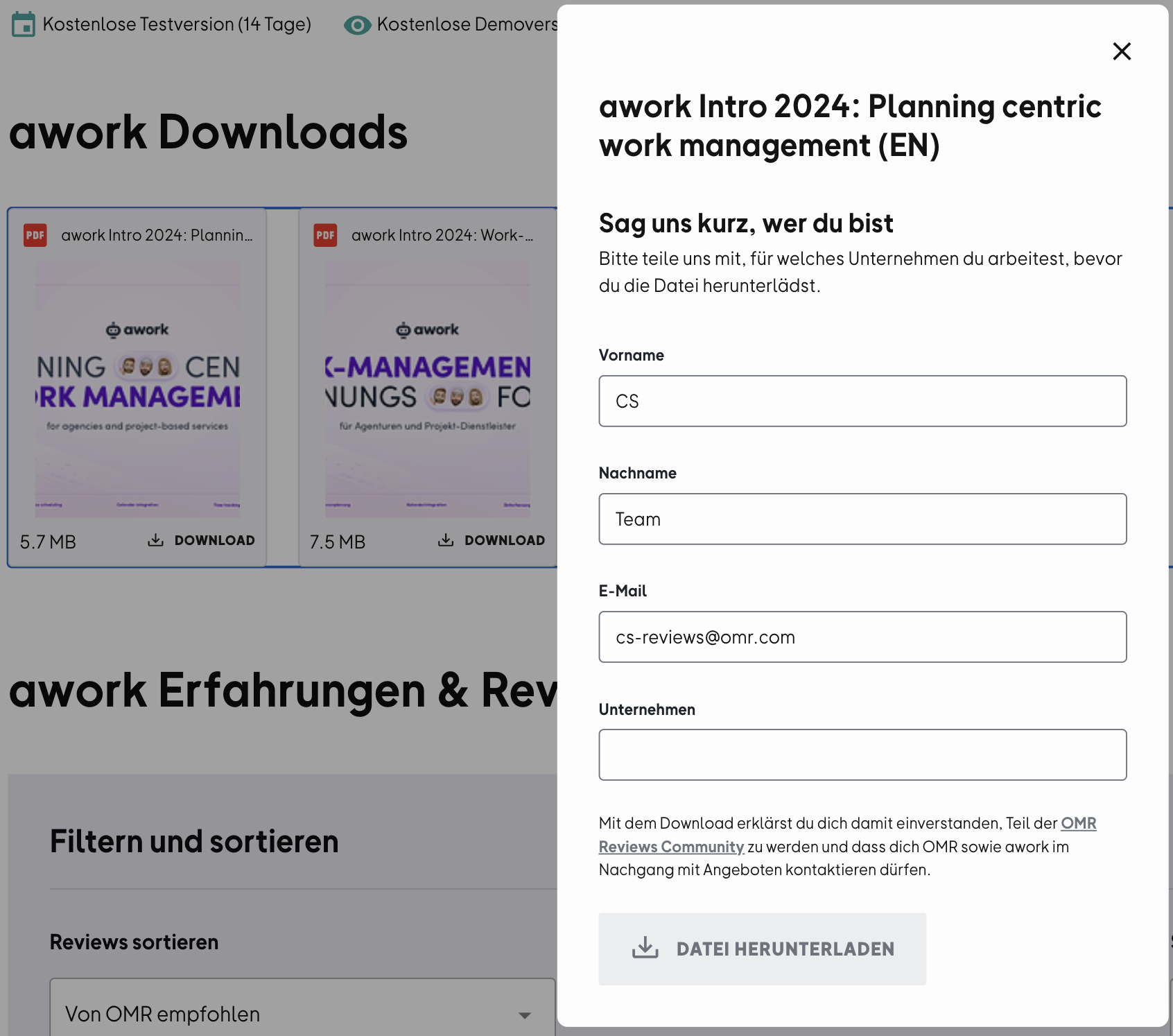
Downloads are handled through an email form: interested users must enter their contact details to get access to the document. After the download, they receive a confirmation email (double opt-in process). Once they've confirmed, we're allowed to forward their contact details via email to the recipients stored in the system.
To upload or update documents, log into your OMR Manager account and follow the tutorial below.
Step 1
First, go to the "Assets" section. Click the "Edit" button and scroll down to the documents.
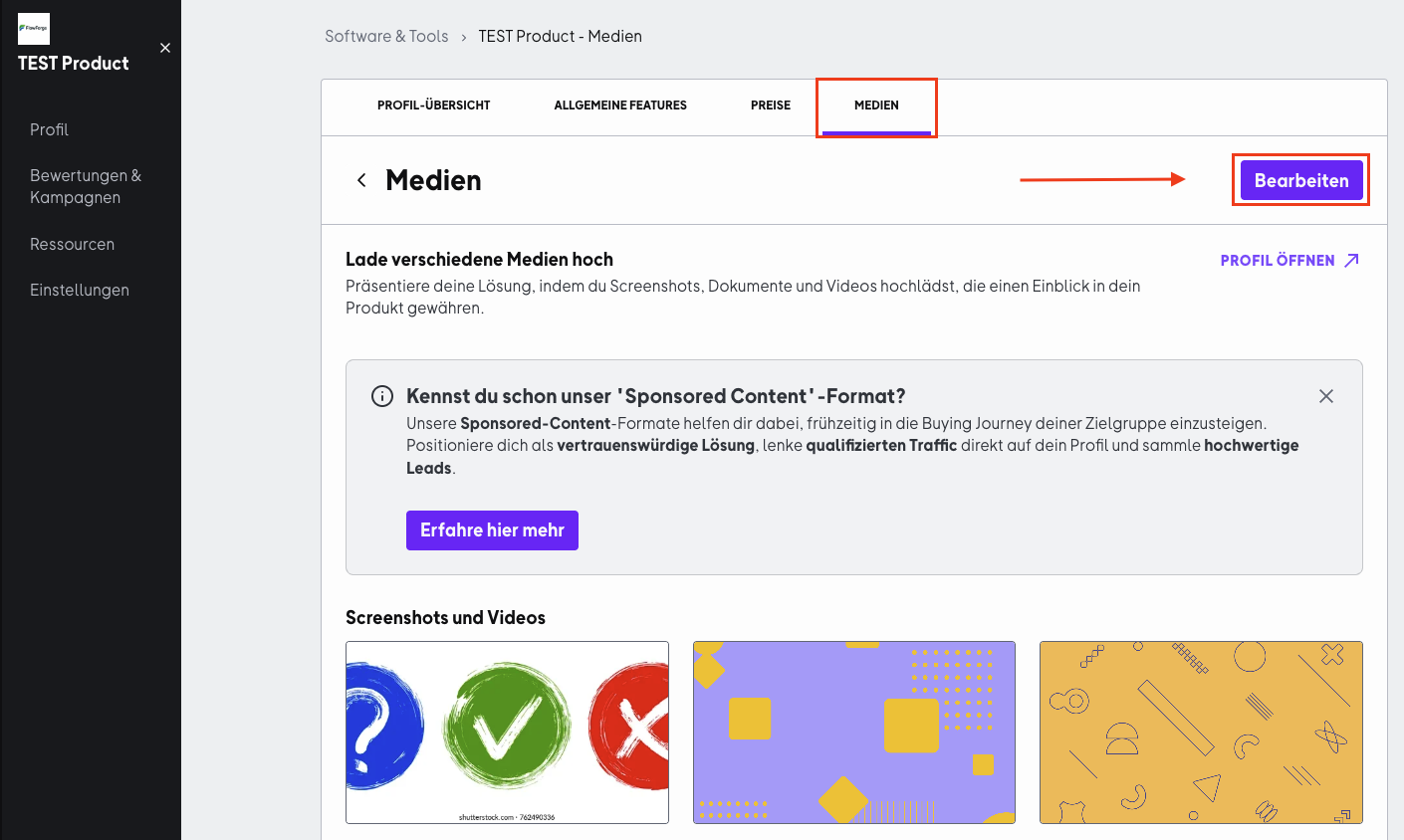
Step 2
Click "Upload file" and select a file.
To make your download documents (like case studies, whitepapers, or guides) stand out in your profile, you should add a thumbnail image.
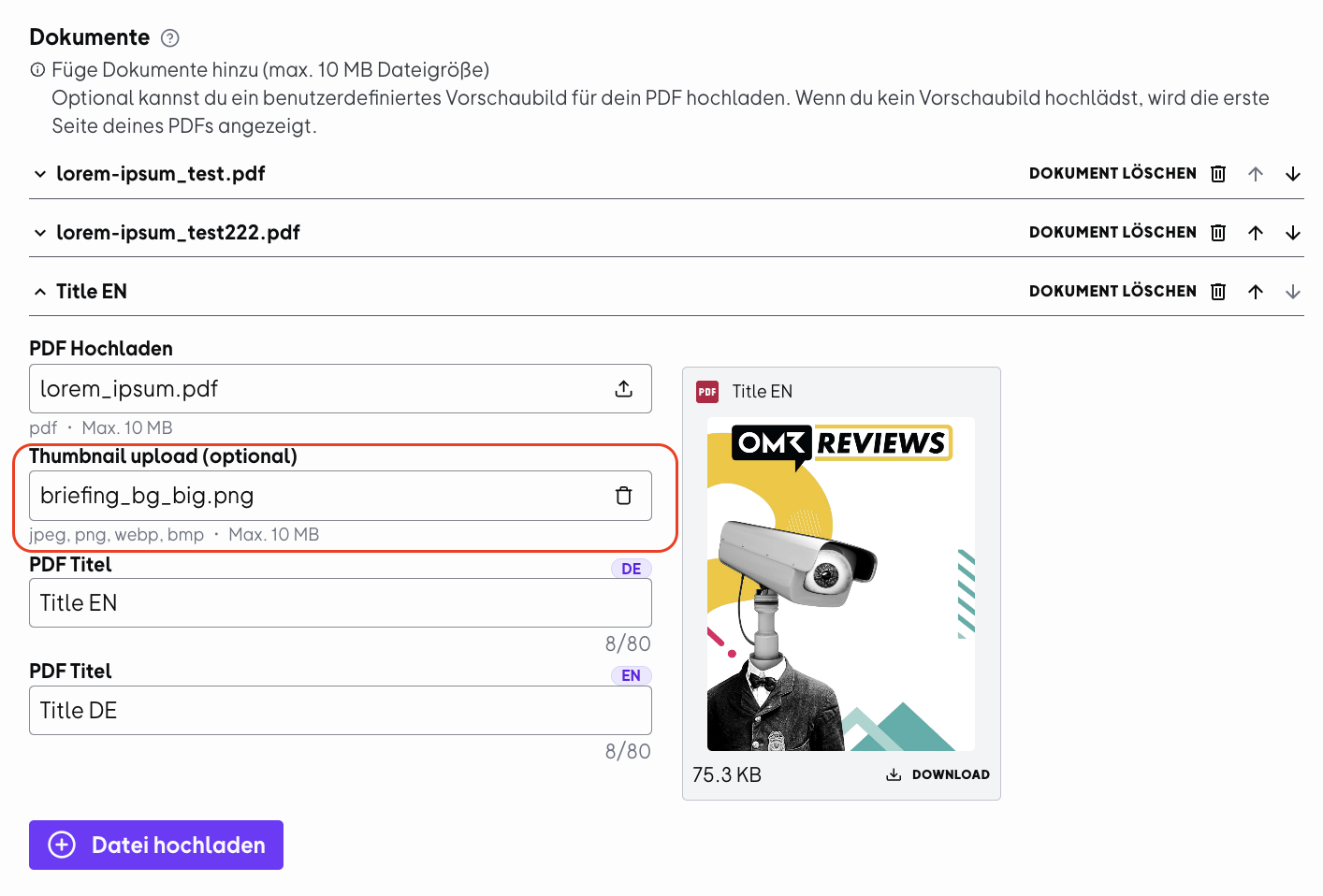
Thumbnail images serve as a visual preview and are displayed before the actual download document. This makes your content:
-
quicker to understand
-
more visually appealing
-
perceived as more professional
Instead of a generic PDF preview, users see a designed cover or relevant visualization of your content right away.
Keep the following specifications in mind:
-
Supported file formats: jpeg, png, webp, bmp
-
Maximum file size: 10 MB per image
Step 3
Check your information like the PDF title (in German and English) and the thumbnail, then save your changes to make your file visible on OMR Reviews.
Keep the maximum file size in mind: 10 MB. If your files are too large, online tools like Ilovepdf can help you compress PDFs quickly and without quality loss.
 Powered by happysupport.ai