
Interacting with Reviews
Respond to customer reviews, send completion reminders, and filter reviews by date and status in the Bewertungen & Kampagnen tab to strengthen relationships
More transparency and better customer interactions: manage the user reviews on your OMR Reviews profile directly in the OMR Manager
Learn how to respond to customer reviews and send your customers a reminder to complete their review. You’ll also find out why this is useful and how to get the most out of the review overview and review filters.
In this article 👇
-
What is the review overview?
-
How do review filters work?
-
Responding to reviews in the OMR Manager (+ response templates)
-
Sending a reminder to reviewers
-
Sending an invitation to update a review
-
Interacting with rejected reviews
-
Embedding individual reviews on your website
What is the review overview?
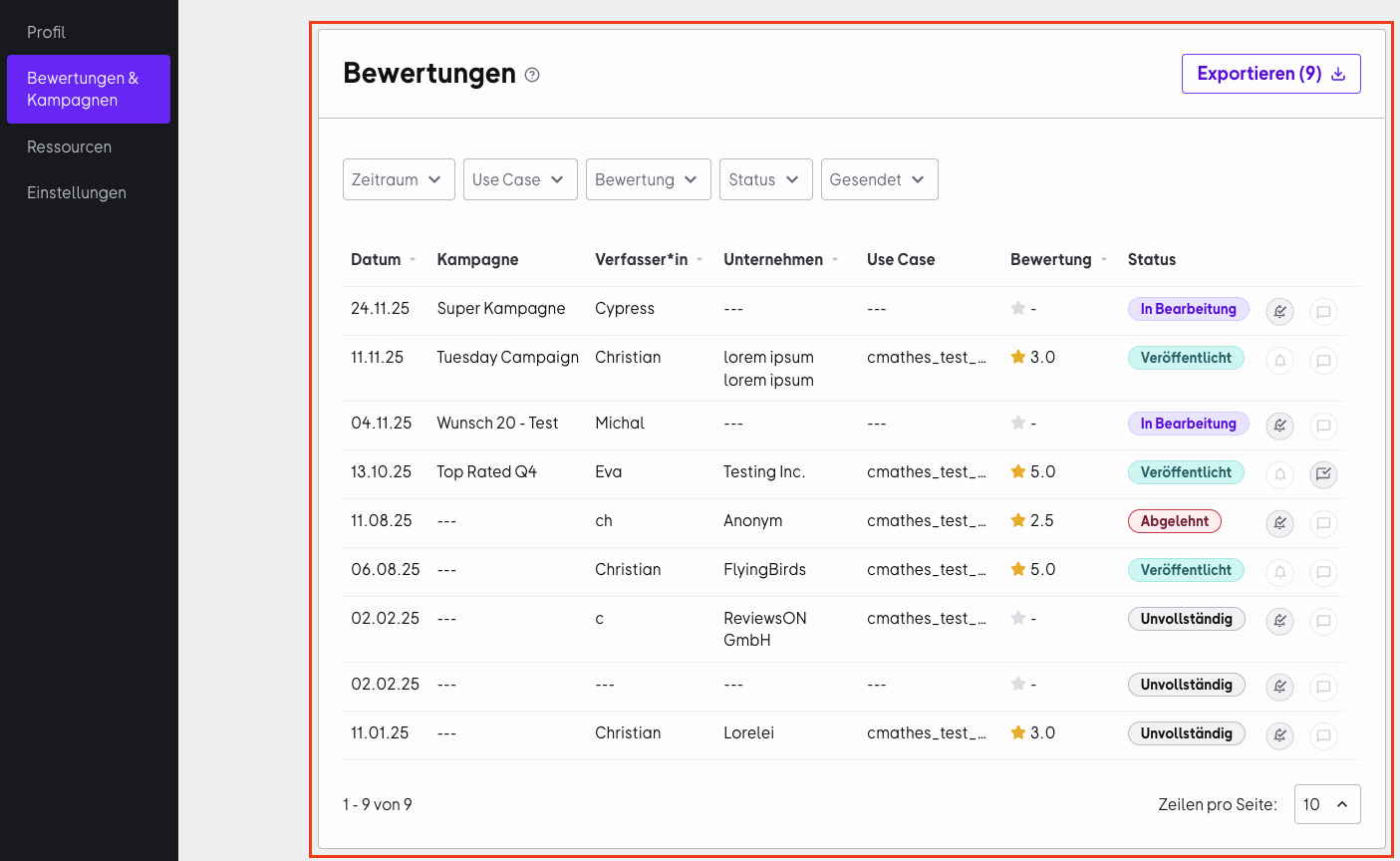
In your product profile settings in the OMR Manager, you’ll find the “Bewertungen & Kampagnen” tab, which gives you full control over all reviews on your OMR Reviews profile:
-
View all reviews at a glance: The “Bewertungen & Kampagnen” tab gives you an overview of all reviews, sorted by date, with information about the reviewer, the score they gave, and the review’s current status.
-
Send targeted reminders: Reminders for incomplete reviews can be key to increasing the number of published reviews. Use the Erinnern function to remind reviewers to complete their reviews.
-
Proactively engage with customer feedback: Responding to reviews directly helps you build stronger relationships with your customers and put even negative reviews in a constructive context.
How do review filters work?
The more reviews you collect, the harder it is to keep track of them. That’s why you should use the review filters regularly.
Filter by “Zeitraum”
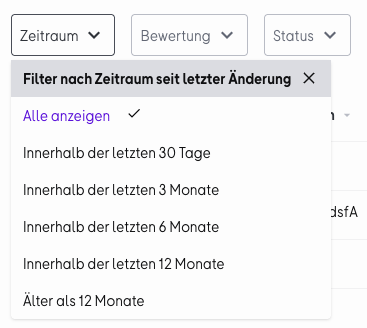
To keep track of how recent your reviews are, you can filter by a specific time period. This lets you see at a glance how many reviews you’ve collected in the last 30 days, as well as how many reviews on your OMR Reviews profile are more than a year old and therefore no longer affect your OMR Score.
For older reviews, it’s worth asking your customers to update their review. That way, their reviews stay informative and helpful for potential customers and continue to affect your OMR Score.
Filter by “Bewertung”
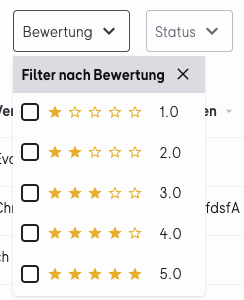
Here you can filter for positive and negative reviews. Negative reviews give you valuable feedback to help you improve your product. So it’s worth keeping an eye on them and asking users whose suggestions for improvement you’ve implemented to update their review.
For more information and tips on how to handle negative reviews, see this article.
Filter by “Status”
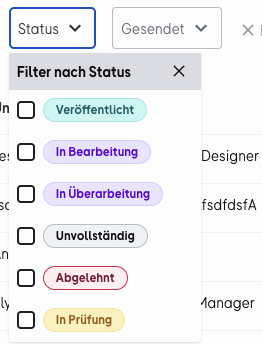
Use this filter to sort reviews by the action required, such as incomplete reviews that users haven’t finished writing. This lets you send them a targeted reminder to complete their review.
Veröffentlicht
The review is complete, has been successfully checked, and has been published.
In Bearbeitung
The reviewer is currently writing a review but hasn’t submitted it yet.
In Überarbeitung
The review was rejected, and the reviewer is editing or revising it.
Unvollständig
The reviewer started writing a review more than 45 days ago but hasn’t submitted it.
Abgelehnt
The review doesn’t comply with our guidelines and was rejected during the review process.
In Prüfung
The review has been submitted and is being checked by the OMR Reviews team.
Filter by “Gesendet”
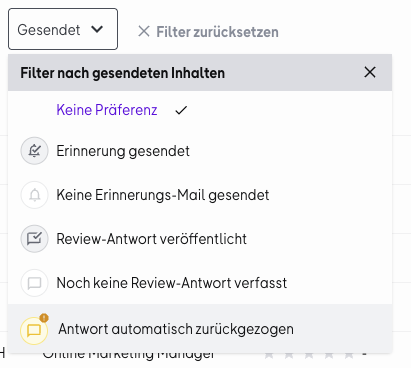
The “Gesendet” filter lets you see at a glance which reviews you’ve already responded to, which users you’ve sent a reminder to complete their review, and which ones you haven’t.
If a review is incomplete and needs to be finished, or if it was rejected during the review process, you can send the user a reminder to complete or revise their review.
Erinnerung gesendet
A reminder to complete or revise the review has been sent to the reviewer.
Keine Erinnerungs-Mail gesendet
No reminder has been sent to the reviewer yet.
Review-Antwort veröffentlicht
Your response to a review has been published on your OMR Reviews profile.
Noch keine Review-Antwort verfasst
You haven’t written and published a response to the review yet.
Antwort automatisch zurückgezogen
The review was updated (republished), so your response is no longer up to date and has been withdrawn.
You’ll find the icons for the sent-content filter on the right side of the review overview. This lets you see whether you’ve already interacted with a review without having to apply a filter.
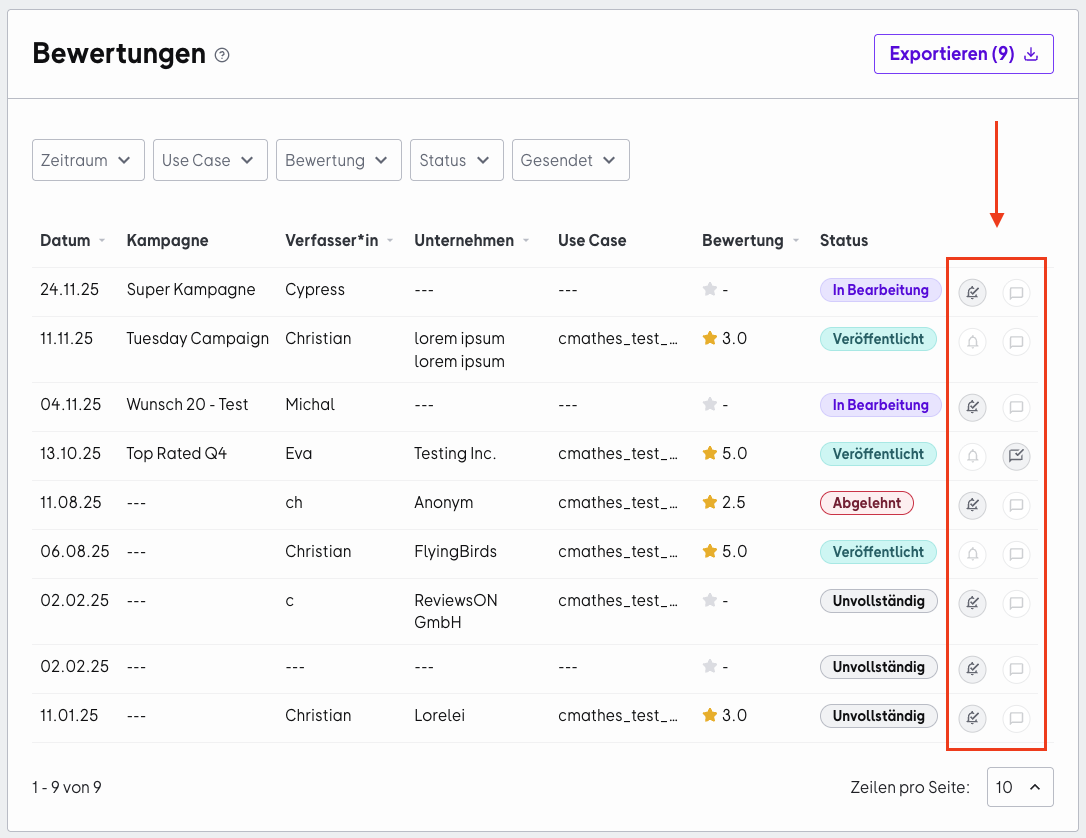
You can also easily export your reviews from the review overview as a table. This gives you a structured overview of all your reviews that you can use internally as needed.
👉 Find out how to export your reviews as a table and analyze them
Responding to reviews in the OMR Manager (+ response templates)
To interact with reviews, log in to the OMR Manager and click the “Bewertungen & Kampagnen” tab in your product settings.
Step 1: Review the overview
You’ll see all the reviews on your profile, along with their status and whether you’ve already interacted with the reviewer by sending a reminder or a response.
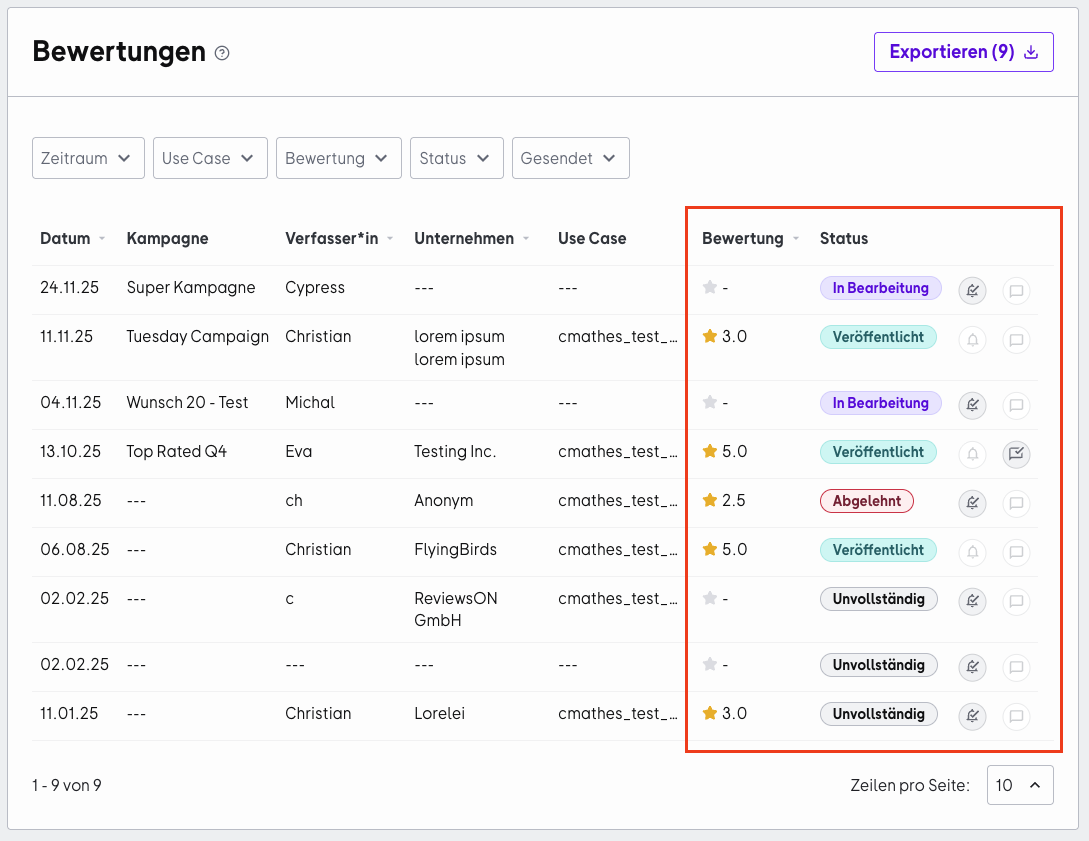
Step 2: Options based on the review status
When you click a review, you’ll see different options depending on its status:
Option 1: Veröffentlicht
Click the “Auf Review antworten” button to respond directly to customer feedback (up to 1,200 characters).
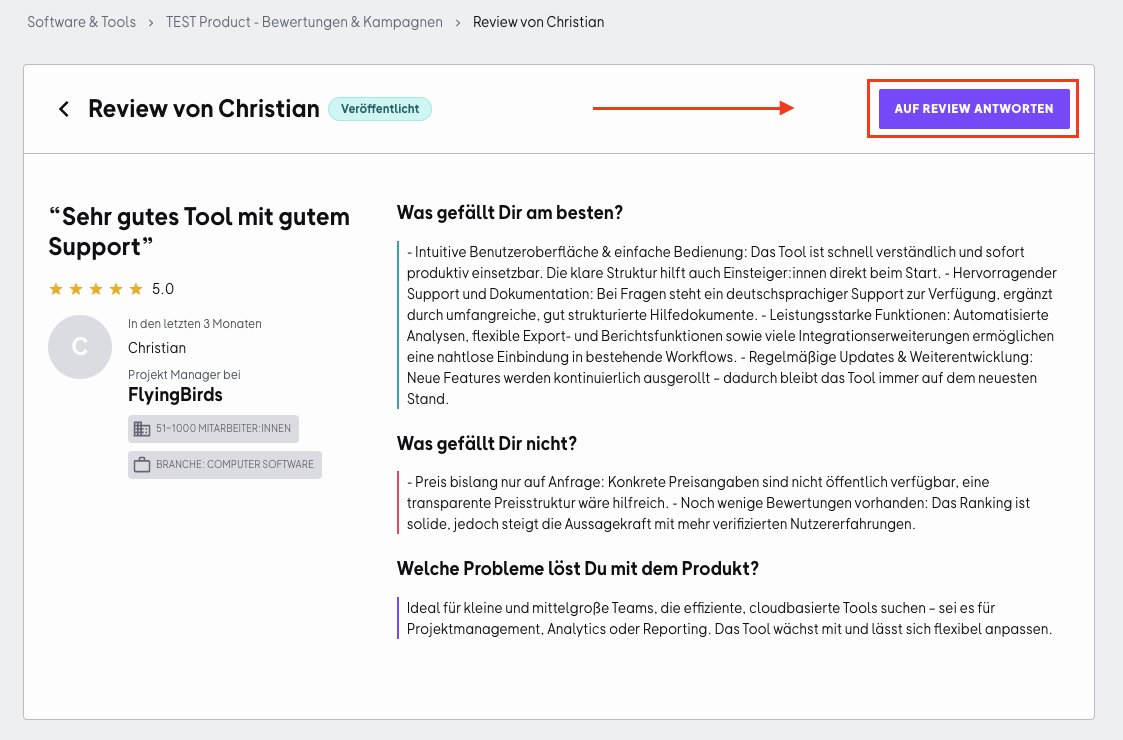
Every response should be personalized so your customers know that you value their opinion and can build trust. For a quicker response, you can use these templates:
- Positive review
Dear [Name],
Thanks so much for your great feedback! We’re very happy to hear that [refer here to the user’s positive feedback].
If you have any other requests or ideas, feel free to get in touch anytime. We’re all ears!
Best,
[Your name] and the [Name of your tool] team
- Negative review
Dear [Name],
Thanks for your honest feedback! We understand that [refer here to the issue described in the review]. We’ve already taken steps to address this issue.
If you have any outstanding concerns, please contact our support team directly. We’ll look into them personally.
Best,
[Your name] and the [Name of your tool] team
Enter your text in the text field and click the “Antwort veröffentlichen” button.
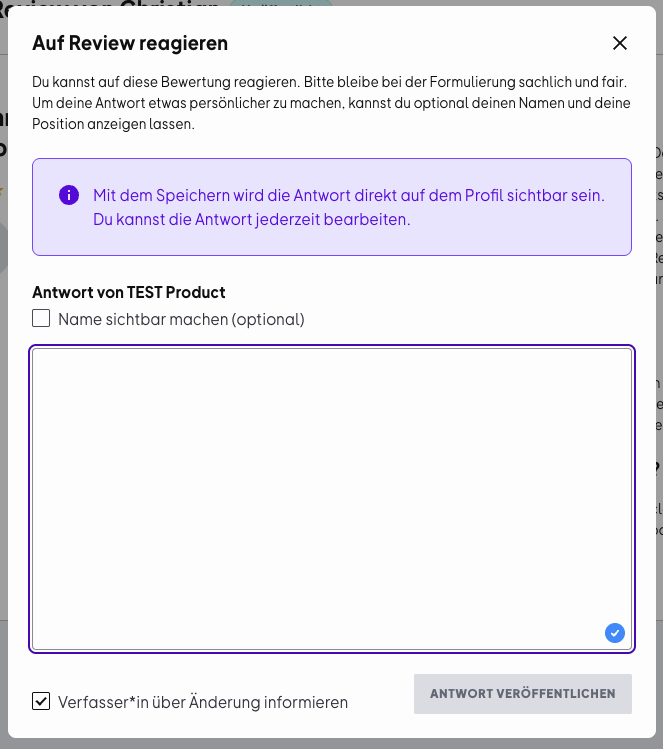
At the bottom left, you’ll find a checkbox that lets you notify the reviewer about your response to their review. Check the box to stay in touch with your users.
Send a reminder to reviewers
Option 2: In Bearbeitung / Unvollständig
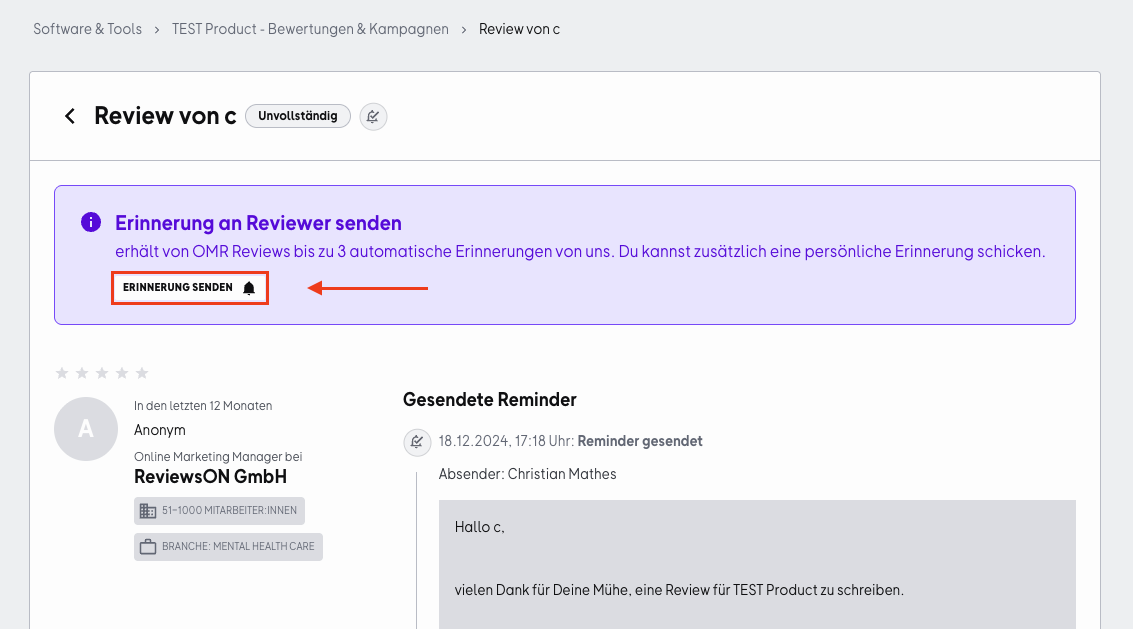
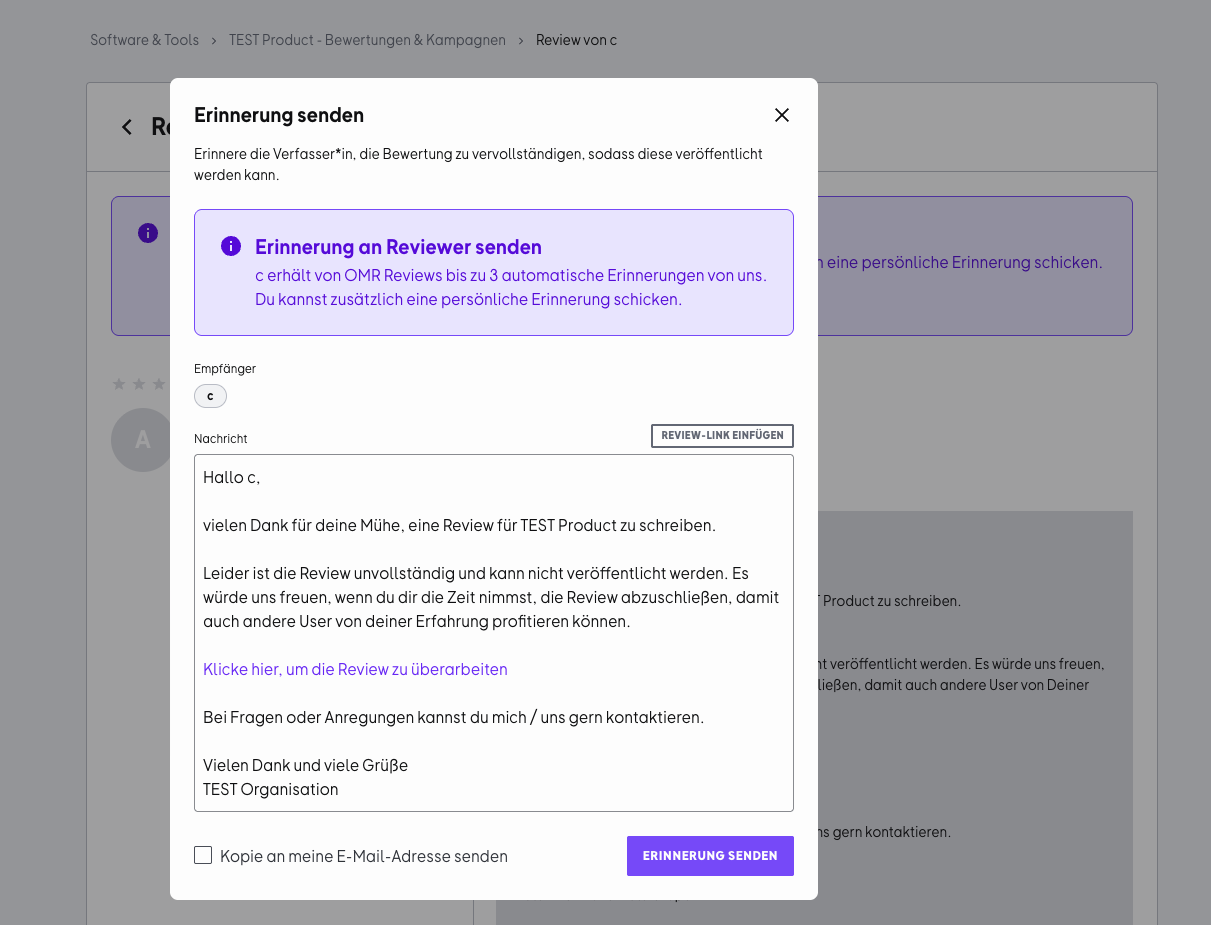
Use the “Erinnerung senden” feature to personally remind the reviewer about an incomplete review. OMR Reviews automatically sends up to three reminders (after 1, 7, and 30 days).
By default, you’ll see a message written by OMR Reviews in the text field. Feel free to edit it or rewrite it completely before sending it to the reviewer.
Option 3: In Prüfung
We’re currently reviewing the review for quality and authenticity. We publish reviews that comply with our guidelines within 72 hours. Vouchers are sent automatically after reviews are published.
Send an invitation to update a review
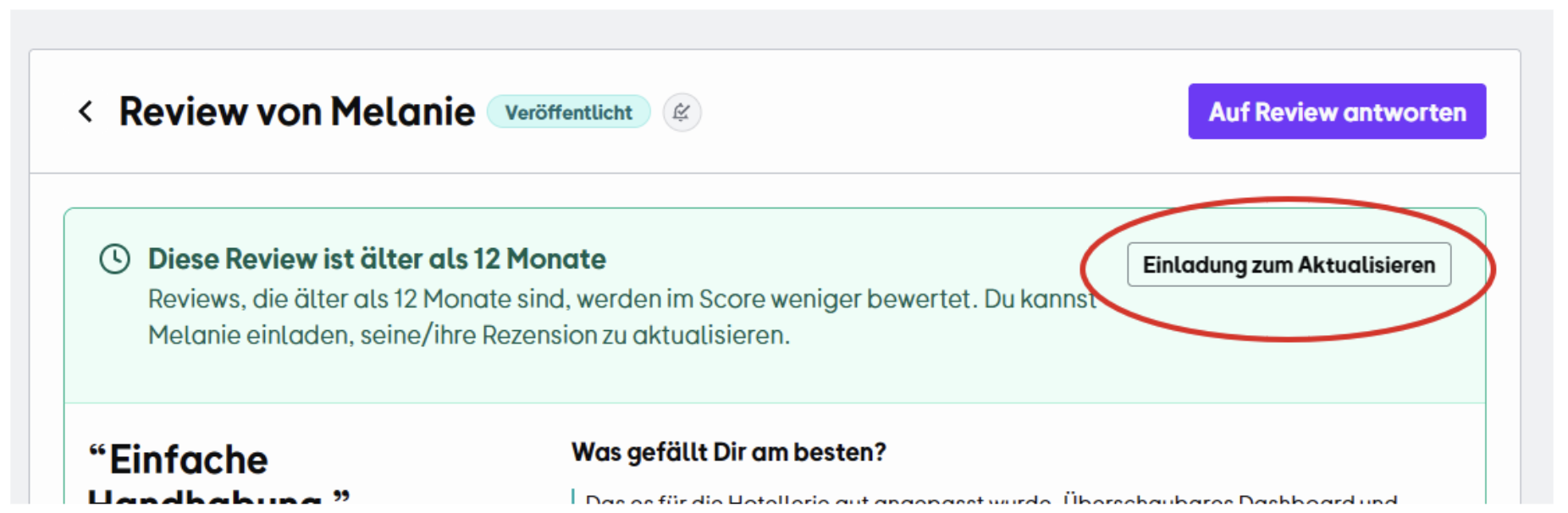
Older reviews carry less weight in your score over time. To make sure your profile always reflects an up-to-date and meaningful picture of your performance, you can invite customers to update their existing reviews.
In the review overview, you can sort by older reviews and send an Einladung zur Aktualisierung from the detail view. Your customers can then update their original review, for example, if you’ve improved processes, introduced new features, or developed your support further.
Why this is useful
-
Up-to-date reviews boost your score: Newer reviews have a greater impact on your overall rating.
-
Showcase product development: Improvements, new features, and optimized workflows can all be reflected in customer feedback.
-
Build trust with potential customers: Recent testimonials feel more authentic and relevant when people are making a decision.
-
Document long-term customer satisfaction: An updated review shows that the relationship has continued to develop positively.
By sending targeted invitations to update reviews, you can make sure your OMR Reviews profile features not just a large number of reviews, but above all relevant and up-to-date reviews.
Interact with rejected reviews
Option 4: Abgelehnt
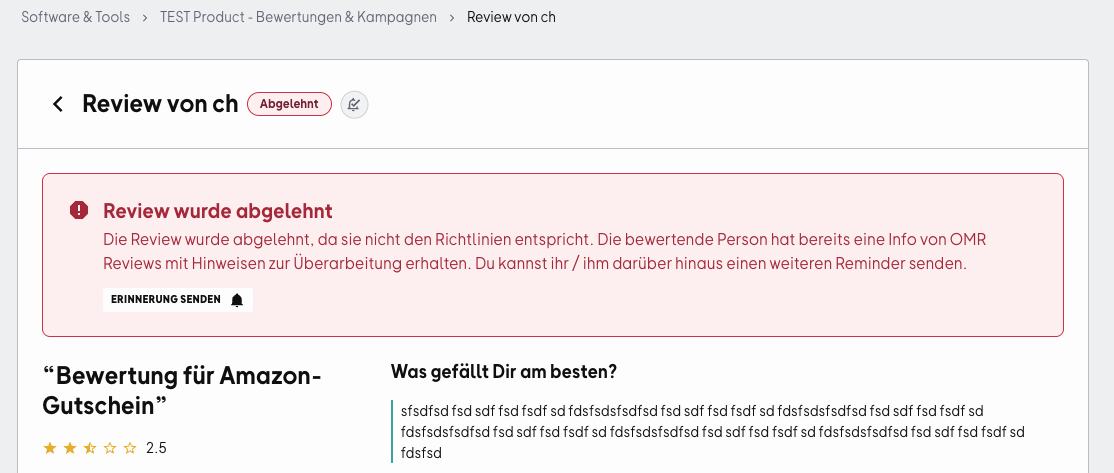
Check the reason for rejection to understand why a review wasn’t published.
What to do in this case:
-
OMR Reviews has already notified the reviewer that their review was rejected and provided guidance on how to revise it.
-
You can also send them a reminder with a pre-written message or one you’ve personalized. To do so, click the “Erinnerung senden” button.
Embed individual reviews on your website
You can feature especially compelling reviews as testimonials on your website, landing page, or blog. You’ll find the embed code for an individual review on that review’s detail page in OMR Manager.
Here’s how:
-
In OMR Manager, open the review overview under Software & Tools → [Dein Produkt] → Bewertungen & Kampagnen.
-
Click the review you want to embed to open its detail page.
-
Copy the review’s embed code from there.
-
Add the code to the desired location on your website, for example, using an HTML element in your CMS.
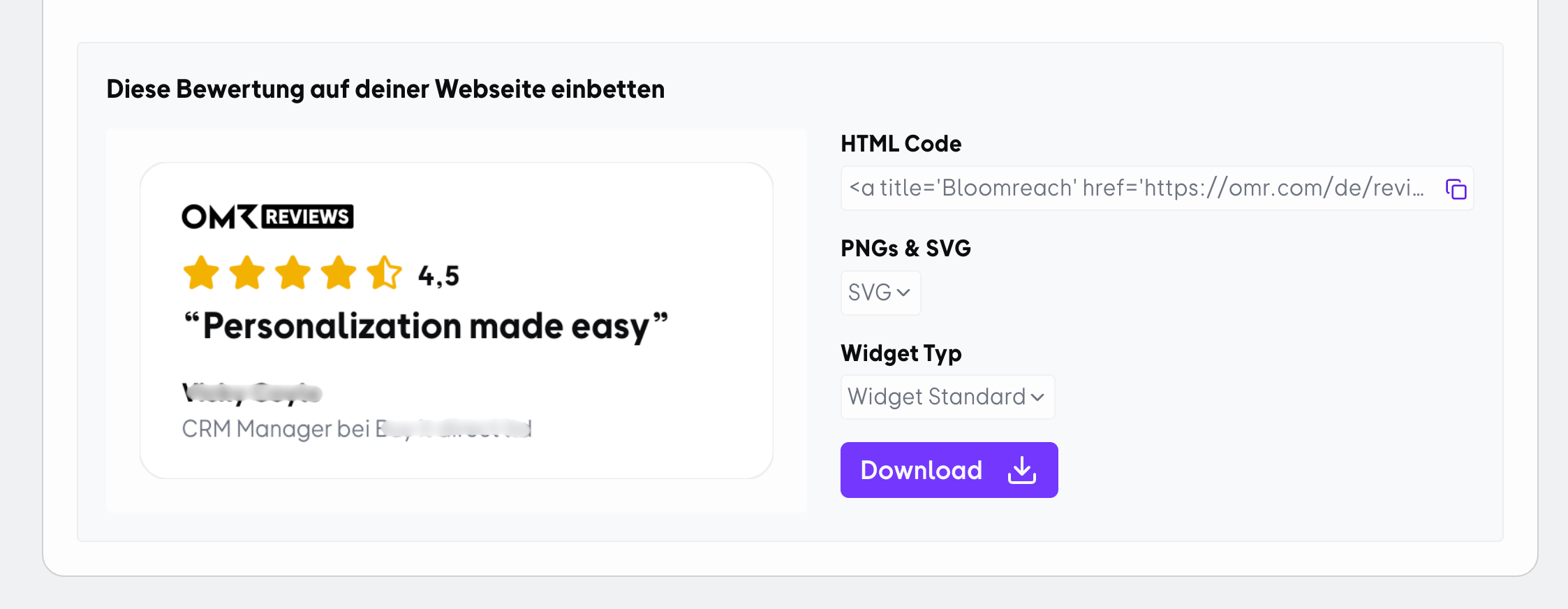
Tip: Choose reviews that describe a specific benefit or a common problem for your target audience, and place them where visitors make a decision, such as on product, pricing, or demo pages.
👉 Learn more about using reviews as social proof
If you have any questions or run into technical issues, our support team will be happy to help. Just email us at cs-reviews@omr.com.
Good luck managing your reviews and building even stronger customer relationships!
 Powered by happysupport.ai