
Filter and Use OMRviewer Data in HubSpot
Filter OMRviewer data in HubSpot using Advanced filters to create custom company views based on session activity and engagement scores.
How to Use OMRviewer Data Effectively in HubSpot
The strategies and workflows shown here are examples and can vary significantly depending on your ICP and industry. It's important that you take into account the specific needs, goals, and behavior of your target audience. The suggestions presented here serve as guidance and can be adapted based on your situation and market. Make sure you continuously monitor, test, and adjust your approaches as needed to achieve the best results.
Here's How
1. Getting Started
- Set Up OMRviewer HubSpot Integration (English)
- Here you'll see how to set up the API and what you need to keep in mind. This is the foundation for the next steps.
- Go to the "Companies" menu item in HubSpot
Click on "Add view" in the top right or select an existing view to customize.
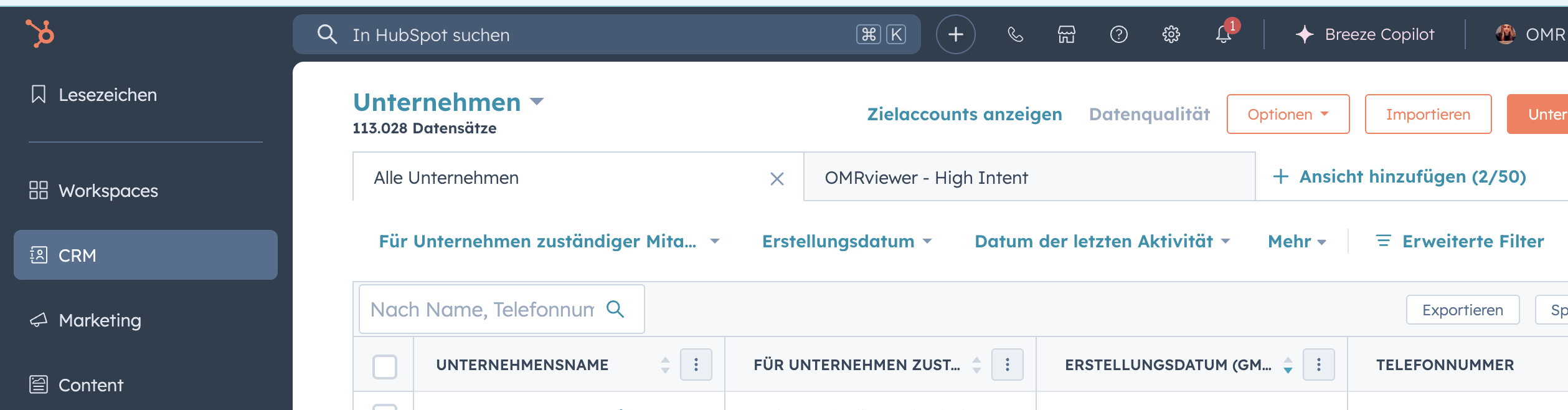
2. Open Filters
- Click on "Advanced filters"
- Type "OMRviewer" in the search bar
→ All synchronized fields will be displayed, for example:- OMRviewer Sessions
- OMRviewer last visit date
- OMRviewer Engagement Score
(Field names may vary depending on your data model)
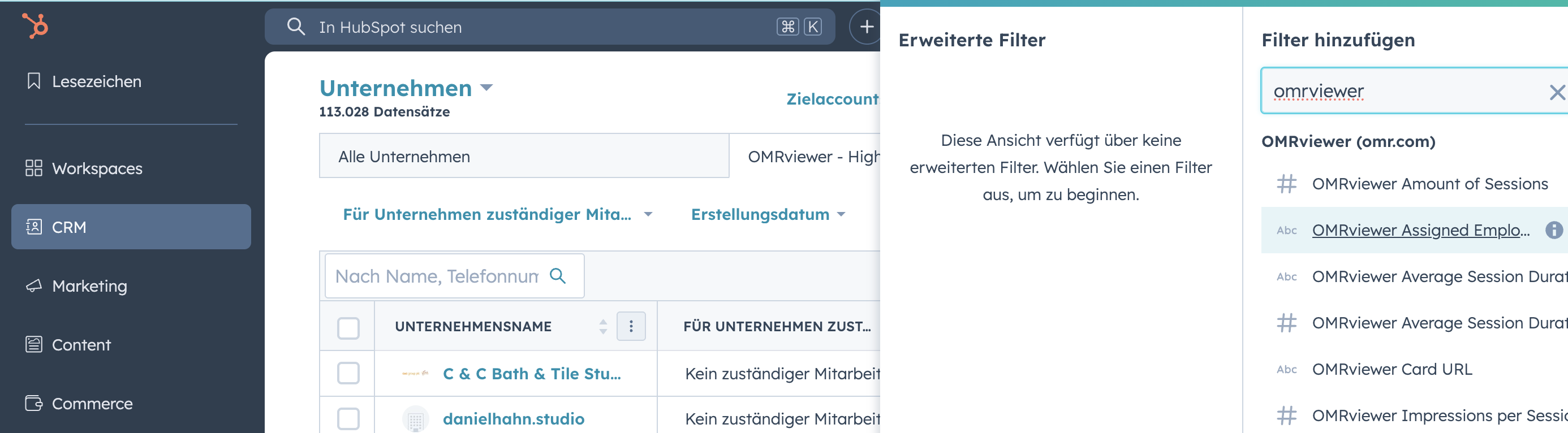
3. Set Relevant Filters
Depending on your use case, you can use different filter combinations:
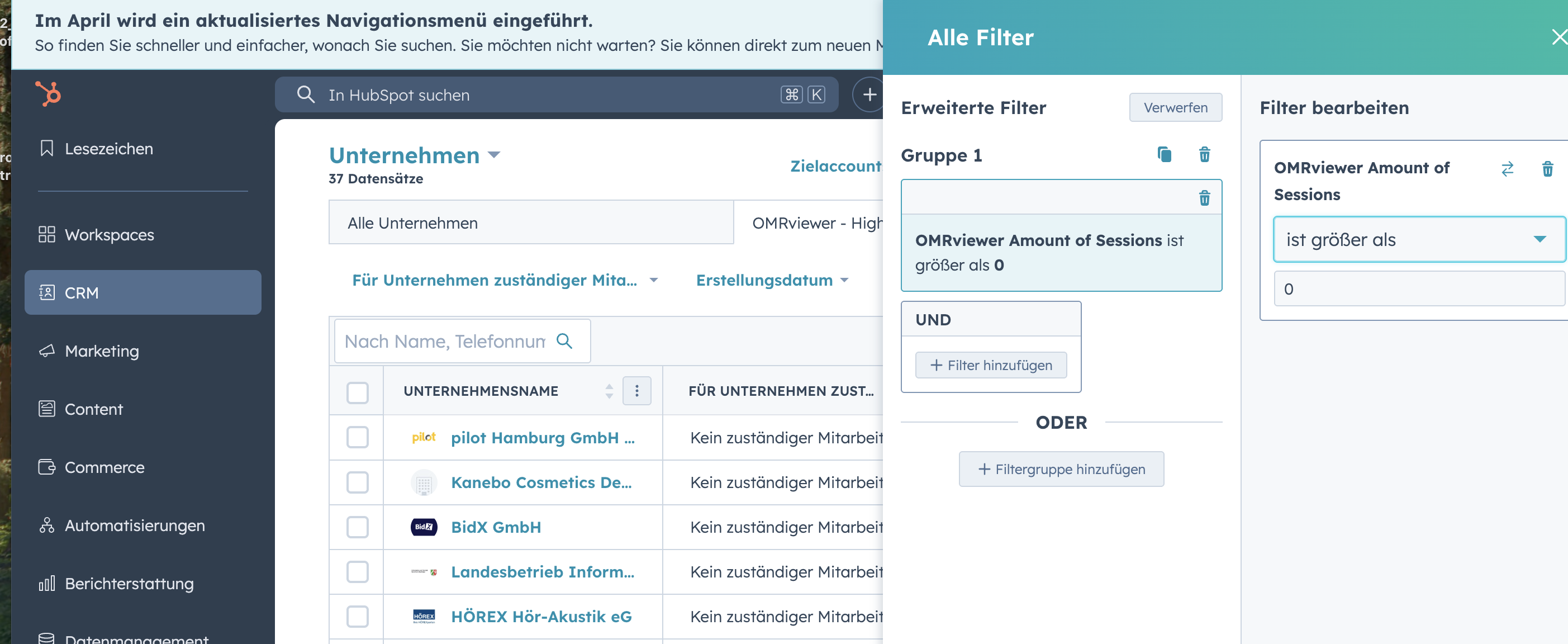
Example 1: All Companies with OMRviewer Activity
Filter: OMRviewer Sessions > 0
→ Shows all companies with at least one session
Example 2: Last Visit is Known
Filter: OMRviewer last visit date is known
→ Good option if you want to search for recent activity
4. Save Your View
- Click on "Save" or "Save as new view"
- Give it a meaningful name, for example "OMRviewer active companies"
Best Practices
- Use customized views for teams (for example, keep Sales and Marketing separate)
- Integrate the view into reports or dashboards
- Combine with lead scoring models in HubSpot
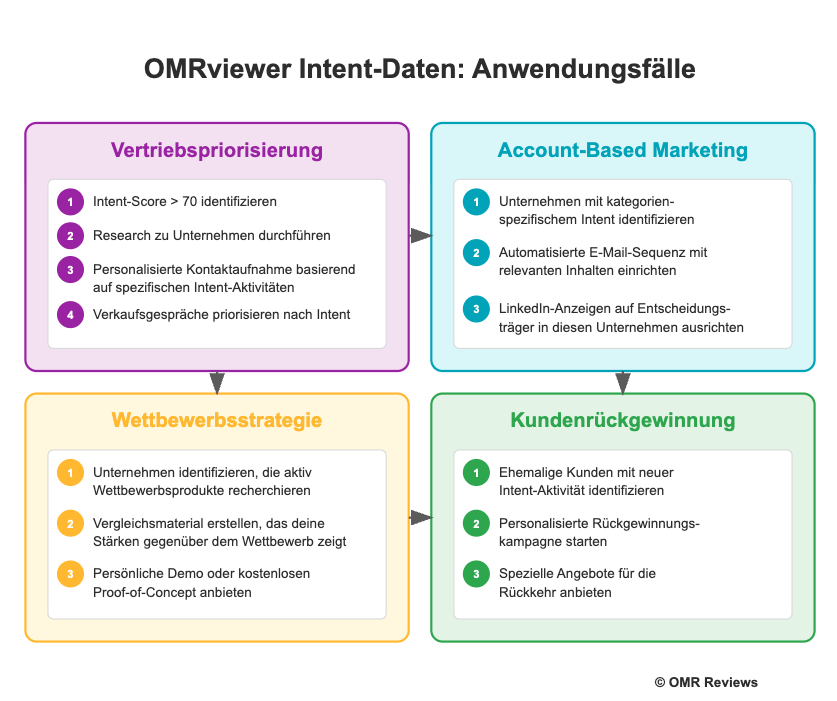
Depending on your use case and customer focus, other combinations can also make sense - this is where creativity comes in!
 Powered by happysupport.ai