
Using the AI Visibility Dashboard
Monitor your brand's detection rate, mentions, citations, and sentiment score in the AI Visibility Dashboard to track optimization opportunities and trends
How to use the dashboard effectively
In this article, you’ll find these steps 👇
- Step 1: Start with the Detection Rate
- Step 2: Compare Mentions and Citations
- Step 3: Check the Sentiment Score
- Step 4: Use competitor comparisons as a guide
The AI Visibility Dashboard is a directional indicator, not an absolute benchmarking tool. Use the data to spot developments, identify opportunities, and set priorities for optimization.
Daily values can fluctuate. Meaningful trends only become clear over a longer period.
Track developments, not snapshots
You’ll get the most valuable insights by analyzing data over several weeks. In particular, use the time-series charts in Brand Performance Over Time to spot changes and trends early.
We recommend monitoring the data for at least two to three weeks before making strategic decisions based on it.
Metrics Breakdown
The Metrics Breakdown gives you a concise overview of the key metrics for your AI Visibility. It helps you better understand your brand’s visibility in AI-generated answers and identify specific opportunities for optimization.
Learn about the individual metrics and how the dashboard is structured:
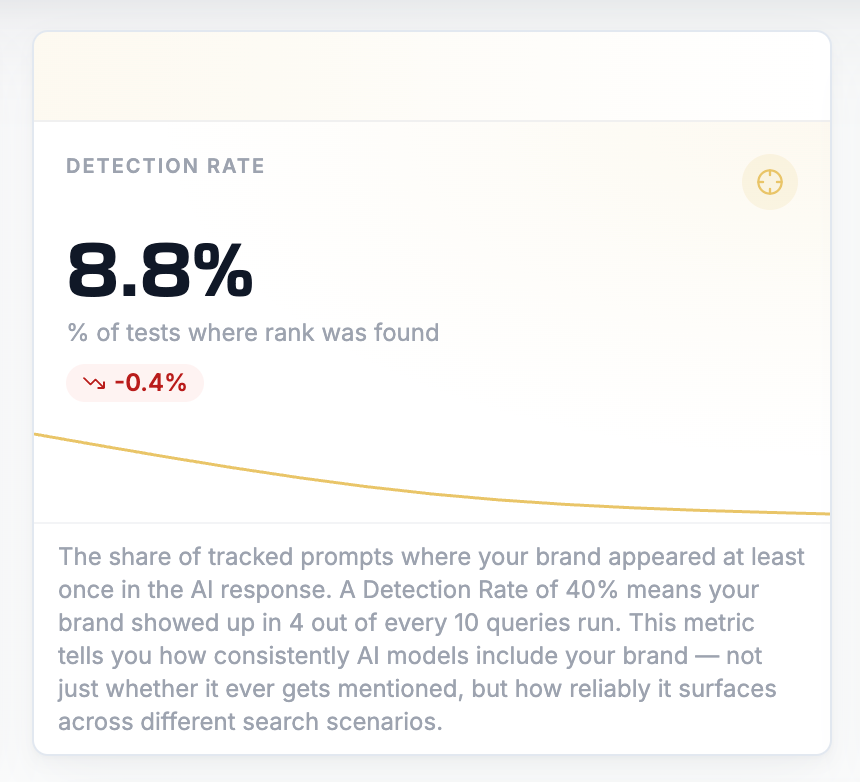
1. Start with the Detection Rate
The Detection Rate answers the fundamental question:
Is your brand being noticed at all?
If your Detection Rate is low (below 20%), your content and brand rarely appear in relevant AI-generated answers. In this case, you should first focus on expanding your presence and authority.
2. Compare Mentions and Citations
Mentions show your brand’s presence.
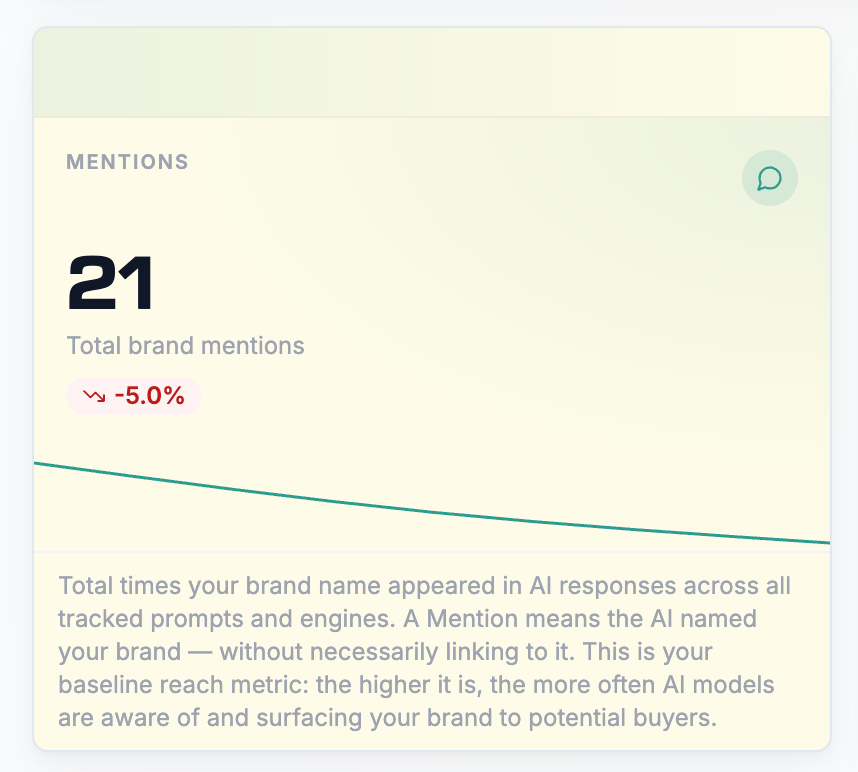
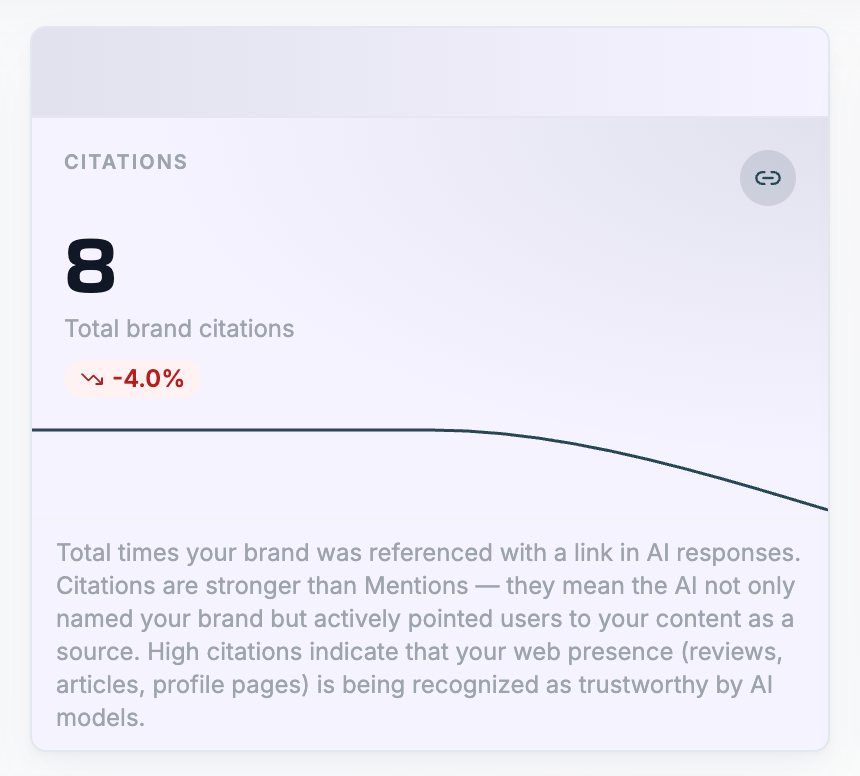
Citations show whether AI systems actively use your content as a source.
A common scenario:
- High Mentions
- Low Citations
This often means that your brand is well known, but your content isn’t yet seen as a sufficiently trustworthy reference.
This is often where the greatest optimization opportunities lie.
3. Check the Sentiment Score
Visibility alone isn’t enough.
How your brand is presented also matters.
A positive Sentiment Score suggests that your brand is associated with relevant benefits, positive reviews, or a strong market position.
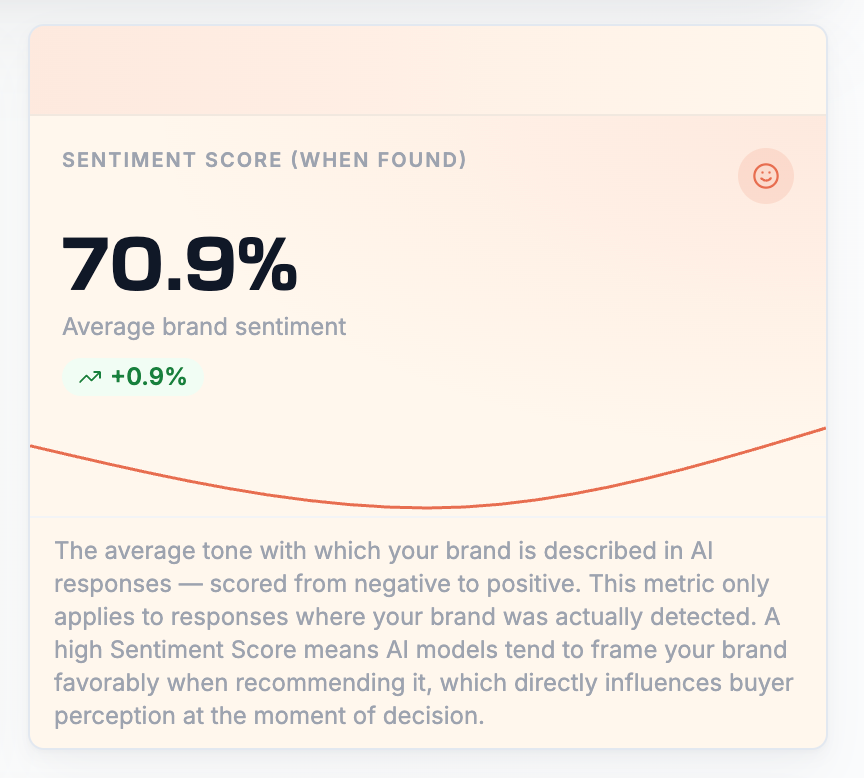
Neutral or negative portrayals, on the other hand, can affect how potential buyers perceive your brand, even when your visibility is already high.
4. Use competitor comparisons as a guide
The Mentions by Competitors section
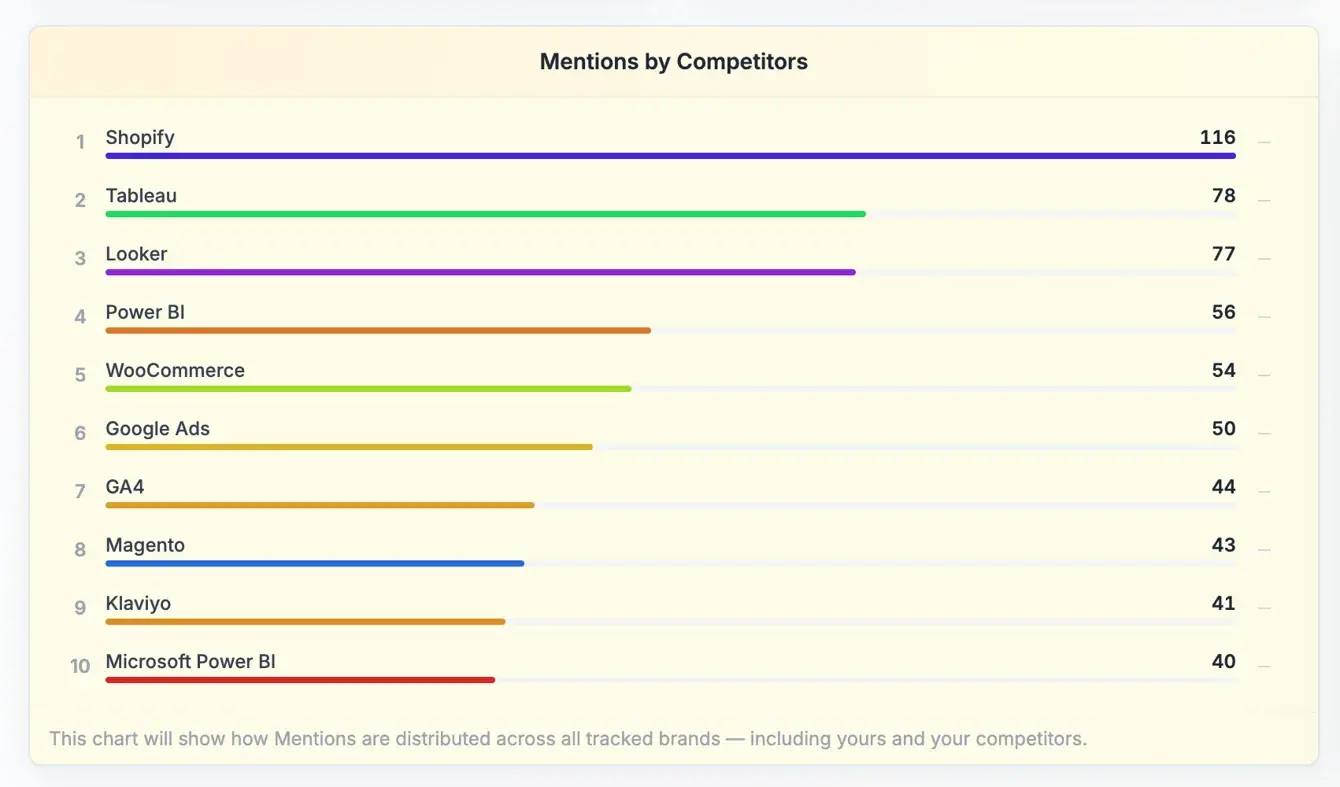
and Citations by Competitors help you better understand your position in the market.
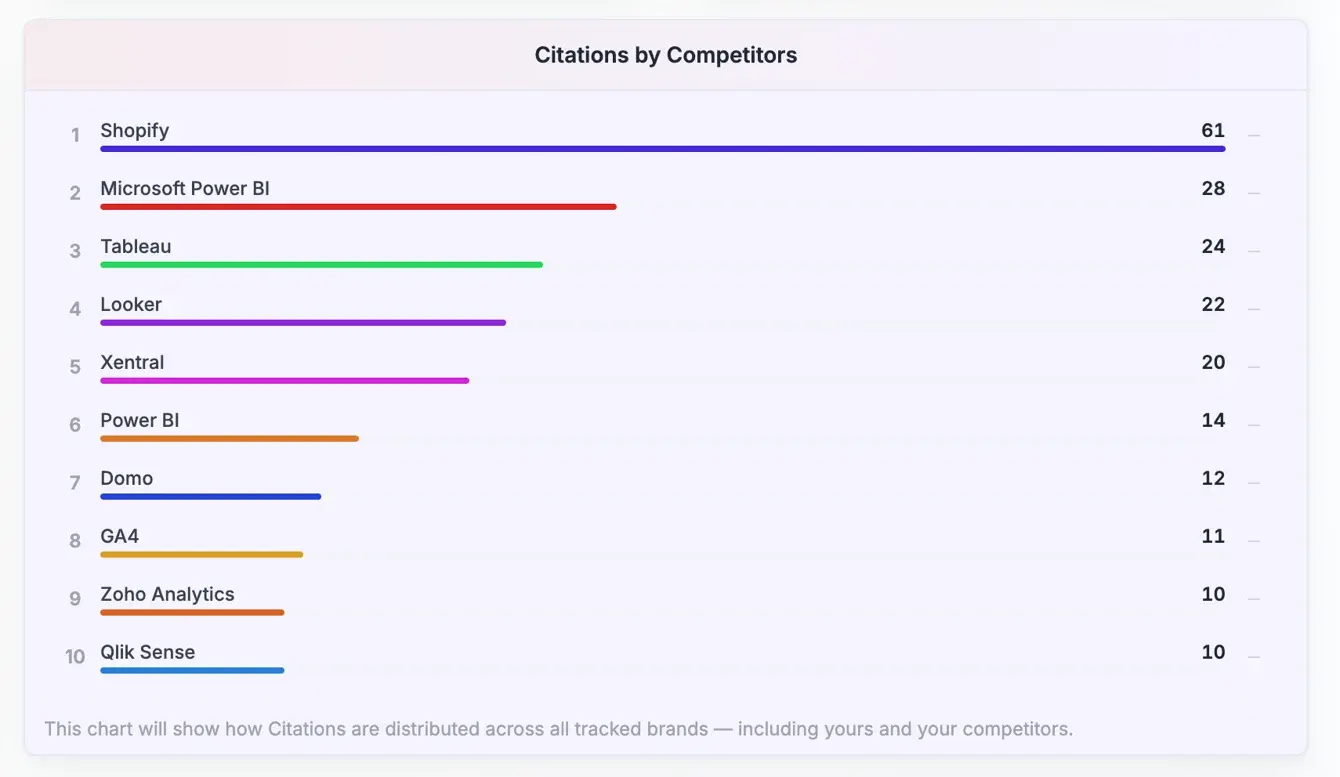
If competitors consistently outperform you in mentions or citations, this often points to a stronger content presence, greater authority, or content that’s easier to find.
Use these insights to identify specific ways to improve your own AI Visibility.
Important note
The background colors of the KPI cards are for guidance only:
- Green indicates presence and reach (e.g., Mentions, Citations).
- Yellow-orange signals consistency (e.g., Detection Rate).
- Red tones indicate qualitative signals (e.g., Sentiment Score).
The colors aren’t meant to be a direct indication of “good” or “bad.” They simply help you quickly understand the different metric categories.
 Powered by happysupport.ai